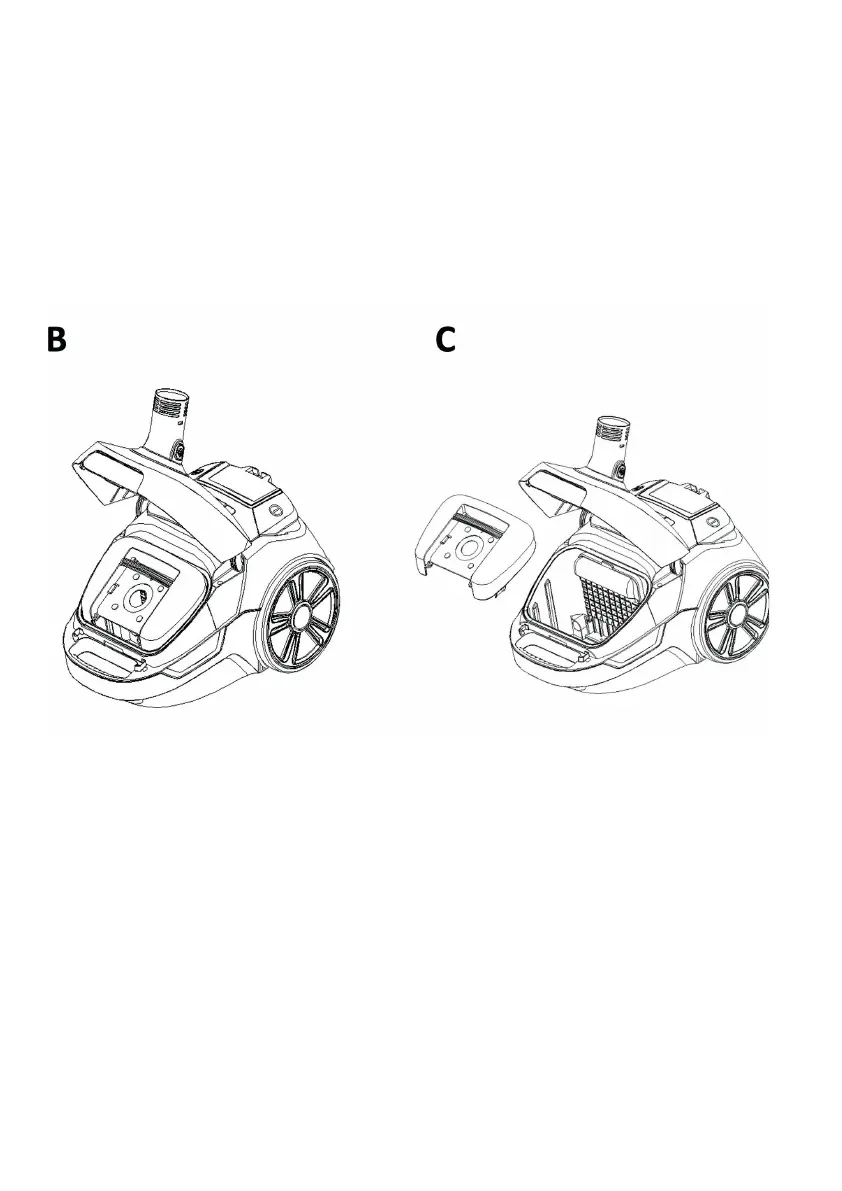
container button, and pulling the dust container away from the
product. (B)
2. Holding the dust over a dustbin press the dust release button as
shown, the bottom of the dust container will drop down to release
the dirt. (C)
3. Close Push the dust container back into the product to ret.
4. The bottom of the dust container by pressing the base upwards
until it clicks into place.
CLEANING THE HEPA FILTER
To maintain the suction of the cleaner, the HEPA lter must be washed
regularly.
After emptying any dirt into the dustbin (C)
1. Remove the HEPA lter 12 from the dust container by turn the dust
container back cover anticlockwise. Remove the HEPA lter cover. (D)
2. Remove the lter cover from HEPA as shown (E)
3. Rinse the HEPA lter cover in the lukewarm water and DRY THE
FILTER COVER COMPLETELY.
IMPORTANT: Do not use detergents to clean the lter. The HEPA lter
must be thoroughly dry before the machine is used.



 To Next Page