EasyManua.ls Logo

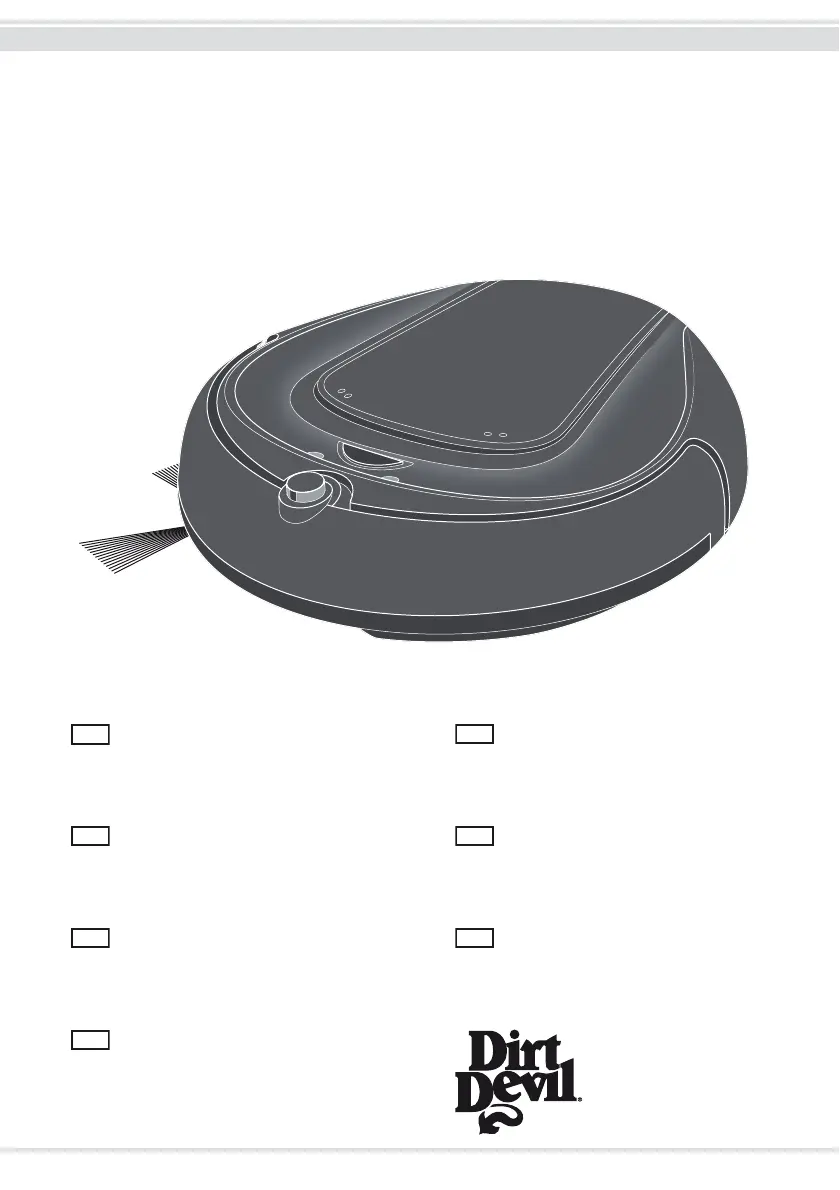
Dirt Devil NAVIGATOR m608 - User Manual

Dirt Devil NAVIGATOR m608
204 pages
Go to English
Print Icon
To Next Page IconTo Next Page
Loading...
M608
NAVIGATOR
Bedienungsanleitung
Saugroboter
Operating Manual
Robot vacuum cleaner
Mode d'emploi
Robot aspirateur
Bedieningshandleiding
Zuigrobot
Manual de instrucciones
Robot aspirador
Istruzioni per l'uso
Robot aspirapolvere
Kullanim Klavuzu
Süpürme Robotu
Roya-25344 • A5 • 02.08.2013
DE
GB
FR NL
ES IT
TR

Table of Contents

Questions and Answers

  • D
    Daniel MoralesAug 19, 2025
    Why won't my Dirt Devil NAVIGATOR m608 Vacuum Cleaner start?
    • R
      rmackSep 12, 2025
      Your Dirt Devil Vacuum Cleaner might not start due to several reasons. The battery pack might not be connected correctly, so ensure it is properly connected. Alternatively, the battery pack could be completely empty, requiring you to switch off the appliance and charge it. Also, check if the toggle switch underneath the robot is in the "on" position. It's also possible that the appliance won't start while docked and charging or that the remote control battery is empty, so wait until charging is completed or change the remote control battery.
  • J
    John PenningtonAug 21, 2025
    How to fix a Dirt Devil Vacuum Cleaner when the main brush has stopped turning?
    • W
      William DavisAug 21, 2025
      If the main brush on your Dirt Devil Vacuum Cleaner has stopped turning, it's likely that dirt is preventing it from turning freely. Remove the main brush and clear both it and its receptacle of any dirt. If needed, carefully use scissors or tweezers to remove stubborn debris.
  • D
    Donna CannonAug 23, 2025
    What causes the side brush to stop turning on a Dirt Devil Vacuum Cleaner and how to fix it?
    • C
      Christopher ReidAug 25, 2025
      If the side brush on your Dirt Devil Vacuum Cleaner has stopped turning, it's likely obstructed by dirt. Remove the side brush and clear any dirt from it and its receptacle. Use scissors or tweezers if necessary to remove any stubborn debris.
  • H
    hhaasAug 26, 2025
    Why is the operating time of my Dirt Devil NAVIGATOR m608 Vacuum Cleaner becoming increasingly shorter?
    • P
      paynerichardAug 26, 2025
      If your Dirt Devil Vacuum Cleaner's operating time is getting shorter, it could be due to the drive wheel, side brush, or main brush being stuck. Switch off your robot and remove any dirt from the wheels and brushes. Use scissors or tweezers if necessary.
  • E
    Elizabeth GuzmanAug 27, 2025
    What to do if my Dirt Devil NAVIGATOR m608 Vacuum Cleaner robot will not charge?
    • L
      larrycervantesAug 27, 2025
      If your Dirt Devil Vacuum Cleaner robot isn't charging, the AC adapter might not be plugged in properly; therefore, check if the plug or the AC adapter are correctly fitted in their sockets. Also, verify that the toggle switch underneath the robot is switched to the "on" position.
  • W
    wolfalanAug 30, 2025
    What does it mean when the red LED is blinking fast and the blue LED is constantly lit on my Dirt Devil NAVIGATOR m608 Vacuum Cleaner?
    • B
      Benjamin GarciaAug 30, 2025
      If the red LED is blinking fast while the blue LED is constantly lit on your Dirt Devil Vacuum Cleaner, the battery pack capacity is likely too weak. Charge the battery pack.
  • F
    Francis LopezSep 1, 2025
    What to do if red and blue LEDs are blinking fast with beeping on my Dirt Devil NAVIGATOR m608 Vacuum Cleaner?
    • Q
      qgarciaSep 1, 2025
      If the red and blue LEDs are blinking fast in combination with 30 seconds of short beeping, the dust bin is likely not installed or not installed correctly. Turn off your robot and correctly insert the dust bin module.
  • R
    robert91Sep 3, 2025
    What does it mean when the red LED is blinking fast and the blue LED is blinking slowly with beeps on my Dirt Devil NAVIGATOR m608?
    • A
      Alexander LewisSep 3, 2025
      There could be two reasons for this issue: all 3 cliff sensors are triggered, or the bumper is stuck or impaired by debris. If the cliff sensors are triggered, move the robot to an area without cliffs and restart it. If the bumper is stuck, move the robot to an area without obstacles and restart it. If the bumper function is impaired by debris inside the bumper, remove the blockage inside the bumper and restart the robot.
  • J
    Jill WalshSep 5, 2025
    What does it mean if blue LED is lit and red LED is blinking fast with beeps on Dirt Devil NAVIGATOR m608 Vacuum Cleaner?
    • L
      lhessSep 5, 2025
      If the blue LED is lit and the red LED is blinking fast in combination with 2 long beeps, the drive wheel, side brush, or main brush is likely stuck. Switch off your robot and remove any dirt from the wheels and brushes. Use scissors or tweezers if necessary.
  • N
    Nicholas ElliottSep 7, 2025
    Why is my Dirt Devil NAVIGATOR m608 Vacuum Cleaner not charging?
    • C
      Christine EstesSep 7, 2025
      If the Dirt Devil Vacuum Cleaner isn't charging, ensure the AC adapter is correctly plugged into its sockets. Also, check that the toggle switch underneath the robot is in the "on" position (I).

Dirt Devil NAVIGATOR m608 Specifications

General IconGeneral
TypeUpright
Bagged/BaglessBagless
CordlessNo
Voltage120V
ColorRed
Power SourceElectric
Included Accessoriesdusting brush
Warranty1 year limited

Related product manuals