WARNING
To reduce the risk of personal injury - Unplug before
cleaning or servicing. Do not use vacuum without dirt
cup or filters in place.
713
HOW TO
CLEAN THE
EXHAUST FILTER
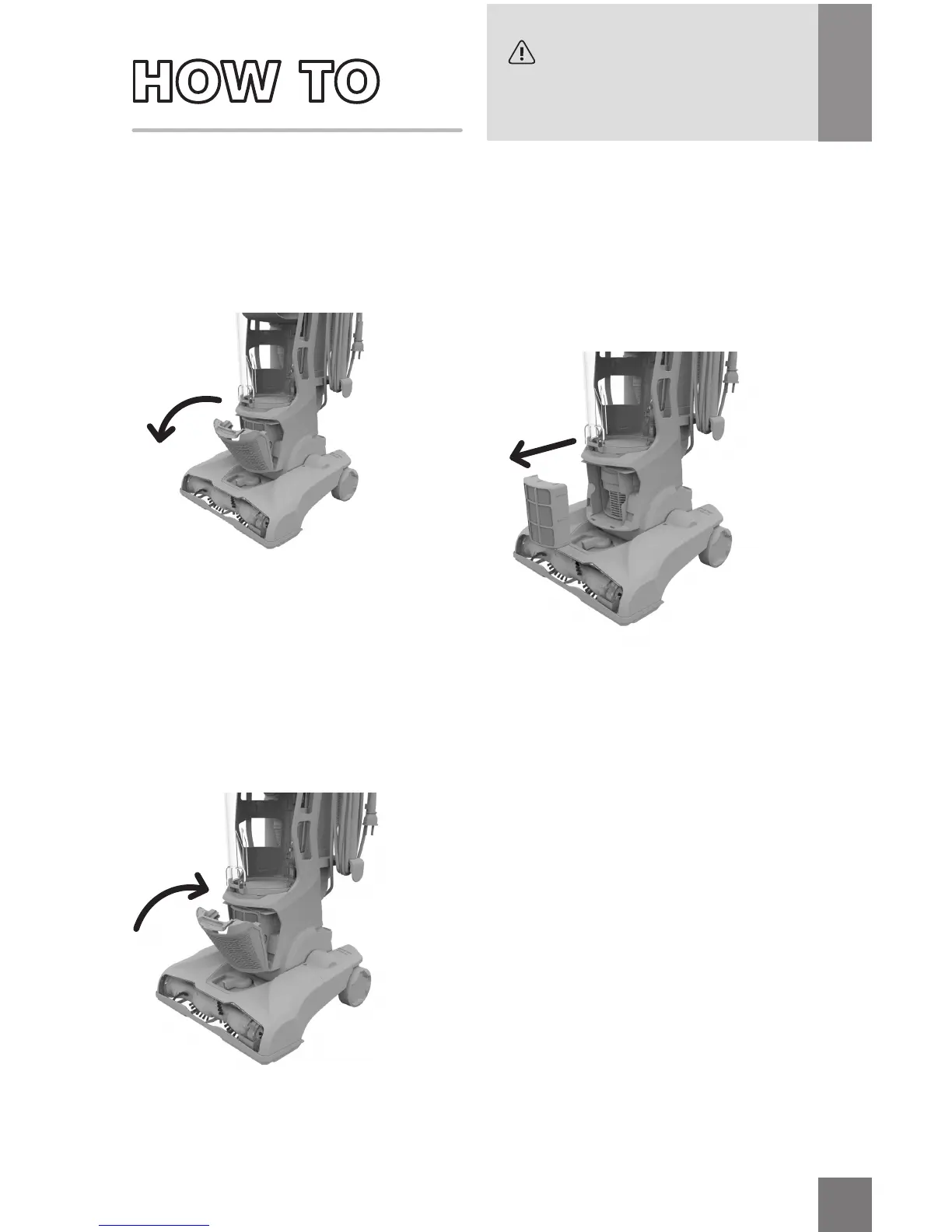
1. Push the tab on the front of the
cover to pivot out.
3. Put the dry filter back. Now
line up the filter cover with
the bottom tabs first and then
snap back into place.
2. Pull out the filter, rinse dirt
from both sides, and let air
dry for 24 hours or until
dry before reinstalling.
For replacement filter F86 visit dirtdevil.com or call us at (800) 321-1134.






 To Next Page