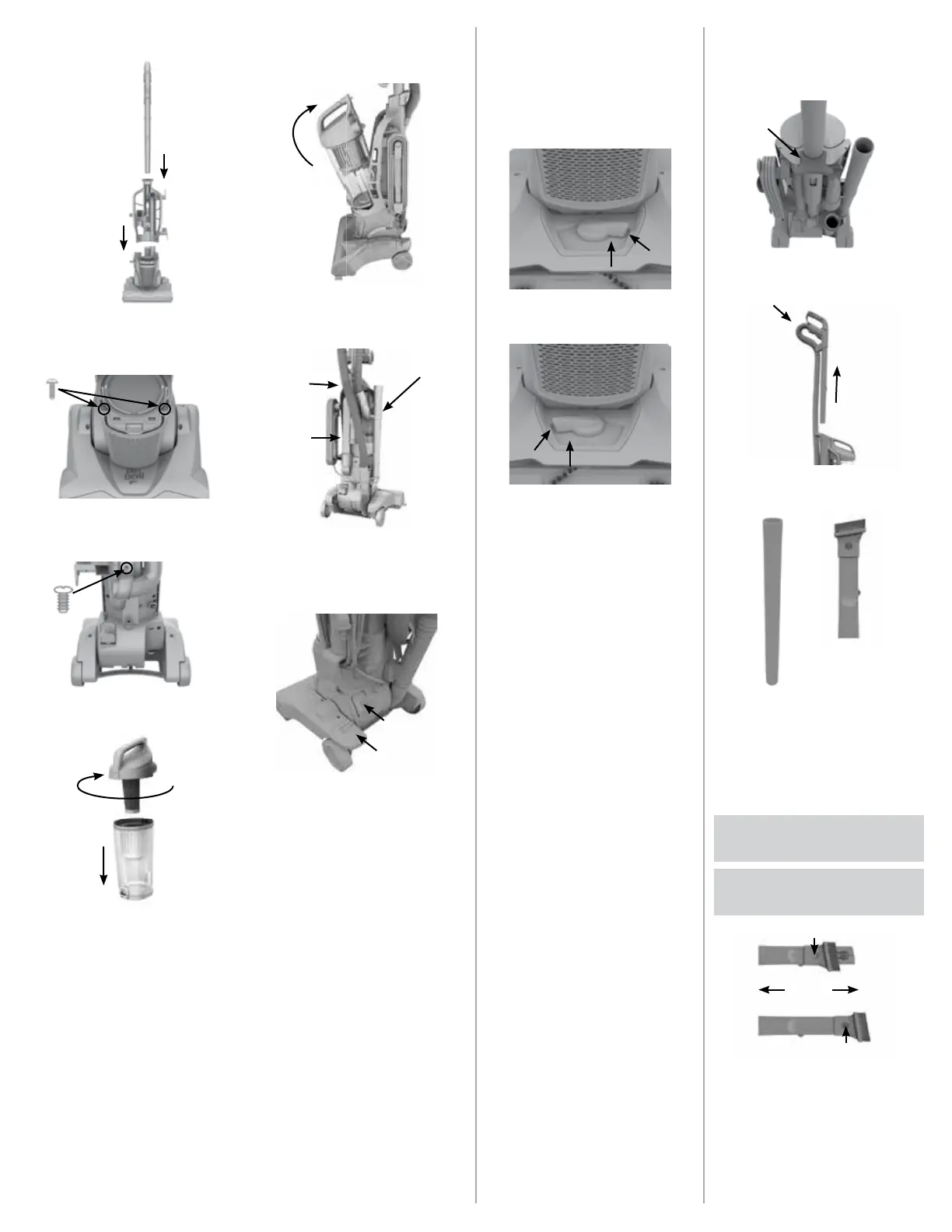
ASSEMBLY
1
Assemble from the front of the unit and slide
the back panel down into place. Then slide the
handle into the top.
2
Using a Phillips-head screwdriver, secure back
panel to the base with the two smaller screws.
3
Using Phillips-head screwdriver, drive larger
screw into back panel to secure to the base.
4
Assemble the dirt cup and make sure the cyclonic
assembly is aligned in the notch, and twist the lid
into the locked position.
5
Place dirt cup into position and push back to lock
it into back panel.
Hose
Extension Tool
Tools
6
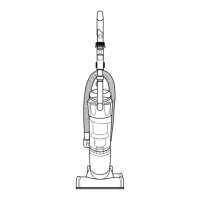
Attach the extension hose at both ends on the
back of the unit and route hose around the upper
handle hose hook. Then place tools in on-board
storage and wrap cord around cord hooks
Handle
Release
On/Off
Pedal
7
Plug power cord into an outlet and press ON/OFF
pedal to turn on. Push the handle release button
and pull back to recline.
HEIGHT ADJUST
THE FOLLOWING HEIGHT
SETTINGS ARE RECOMMENDED
FOR MAXIMUM CLEANING
PERFORMANCE.
1
Low Settings - Two Positions:
Great for tile, hardwood, linoleum and low pile
carpets.
2
High Settings - Two Positions:
Great for plush and shag carpets.
TOOLS
QUICK RELEASE CLEANING WAND
Wand Release
1
Press the wand release button.
2
Pull wand up & out and insert hose to wand.
* *
3
Push the tools on the wand* for convenient
cleaning. When you’re done, twist & pull to take
them off .
*Accessories not included on all models.
COMPLETE ON-BOARD TOOLKIT
WARNING: Unplug vacuum before
connecting hose, wand or tools.
CAUTION: Not to be used for grooming
a pet.
OR
A
A
*
When using the 2-IN-1 Combo Tool, Press the
lock button down and slide to switch between
Crevice Tool and Dusting Brush Tool.




 To Next Page