
 Need help?
Do you have a question about the disguise pro Series and is the answer not in the manual?
Overview of the 4x4pro front panel components and features, including ports and indicators.
Overview of the 2x4pro/gx 2 front panel components and features, including ports and indicators.
Overview of the gx 1 front panel components and features, including ports and indicators.
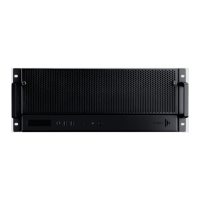
Overview of the vx 4 front panel components and features, including ports and indicators.
Details of the 4x4pro rear panel connectors, ports, and I/O options.
Details of the gx 1 rear panel connectors, ports, and I/O options.
Details of the vx 4 rear panel connectors, ports, and I/O options.
 General
| GPU | NVIDIA RTX or Quadro |
|---|---|
| Networking | 10GbE |
| Power Supply | Redundant power supplies |
| Operating System | Linux-based |
| Video Output | DisplayPort |

 To Next Page