Chapter 10
66
Resetting to Factory Defaults
RESETTING
TO
FACTORY
D
EFAULTS
You can reset the receiver to discard any changes you have made
to the receiver, except
for remote control address settings and loc
ks. Resetting the receiver to factory default
settings also discards all Fa
vorite Lists except the All Chan and All Sub lists.
If you have set any locks on the receiver, and the receiv
er is locked, these locks will be
kept. If the receiver is unlocked, your locks
will be lost. You cannot
reset the receiver to
default settings to discard a password you hav
e forgotten. No one but a Customer Service
Representative can reset the receiv
er to bypass a receiver lock.
1
Press MENU, select System Setup (6), and
then Factory Defaults (5). The receiver
displays a Warning message to confirm that you want to reset the receiver
’s preferences.
2
Select Yes.
SCHEDULING
R
ECEIVER
U
PDATES
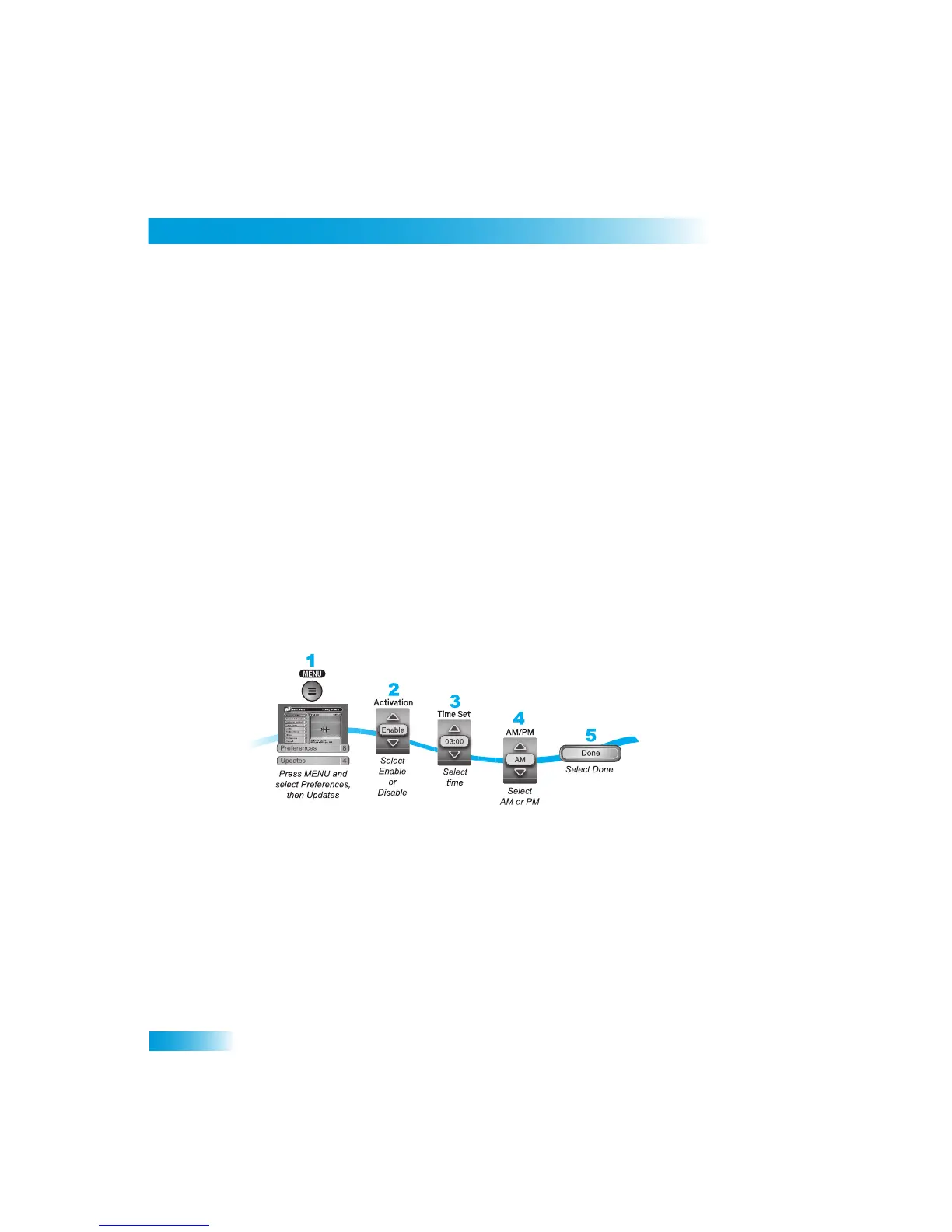
The receiver comes scheduled to update the
Program Guide at 3:00 am every day. This
section describes how to change the Updates settings.
Note: This feature does not interfere with scheduled timers.












 To Next Page