EasyManua.ls Logo

DJ-Tech Deckadance edition - User Manual

DJ-Tech Deckadance edition
26 pages
Print Icon
To Next Page IconTo Next Page
Loading...
USER MANUAL
MANUEL DUTILISATION
BENUTZERHANDBUCH
GEBRUIKSAANWIJZING
MANUAL DE INSTRUCCIONES
MANUALE DI ISTRUZIONI
(English)
(Français)
(Deutsch)
(Nederlands)
(Español)
(Italiano)
01~04
05~08
09~12
13~16
17~20
21~24
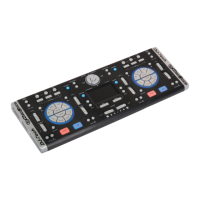
DJ KEYBOARD
DECKADANCE EDITION
Question and Answer IconNeed help?

Do you have a question about the DJ-Tech Deckadance edition and is the answer not in the manual?

Summary

DJ Keyboard System Requirements

DJ Keyboard Software Installation

Getting Started with DJ Keyboard

DJ Keyboard Top Panel Features

Pitch Reset

Press to reset the pitch for the deck.

Key Lock

Toggle Key Lock for the deck.

Samplers and Reloopers

Control samplers S1-S8 and enable 3 Reloopers.

EQ Kill Filters

Toggle the High Mid Low Kill Filters for the deck.

Sync and Beat Jump

Functions for deck synchronization and beat jumping.

Monitor and Volume Controls

Control headphone and master volume.

Sampler and Playlist Views

Switch between Sampler and Playlist views.

Load and Navigator Controls

Load songs and navigate playlists.

FX Pad and Crossfader

Select FX and control the crossfader.

Mouse Pad Controls

Integrated multi-touch mouse pad features.

Play, Cue, and Hot Cue Buttons

Controls for playback, cue points, and hot cues.

Pitch Bend and Pitch Fader

Functions for pitch adjustment and bending.

USB Ports and DC Jack

Connection points for power and USB devices.

Using the Multi-touch Mouse Pad

DJ Keyboard Specifications

DJ-Tech Deckadance edition Specifications

General IconGeneral
BrandDJ-Tech
ModelDeckadance edition
CategoryFlood Light
LanguageEnglish

Related product manuals