UBM SOLO FEATURES
TOP PANEL LAYOUT
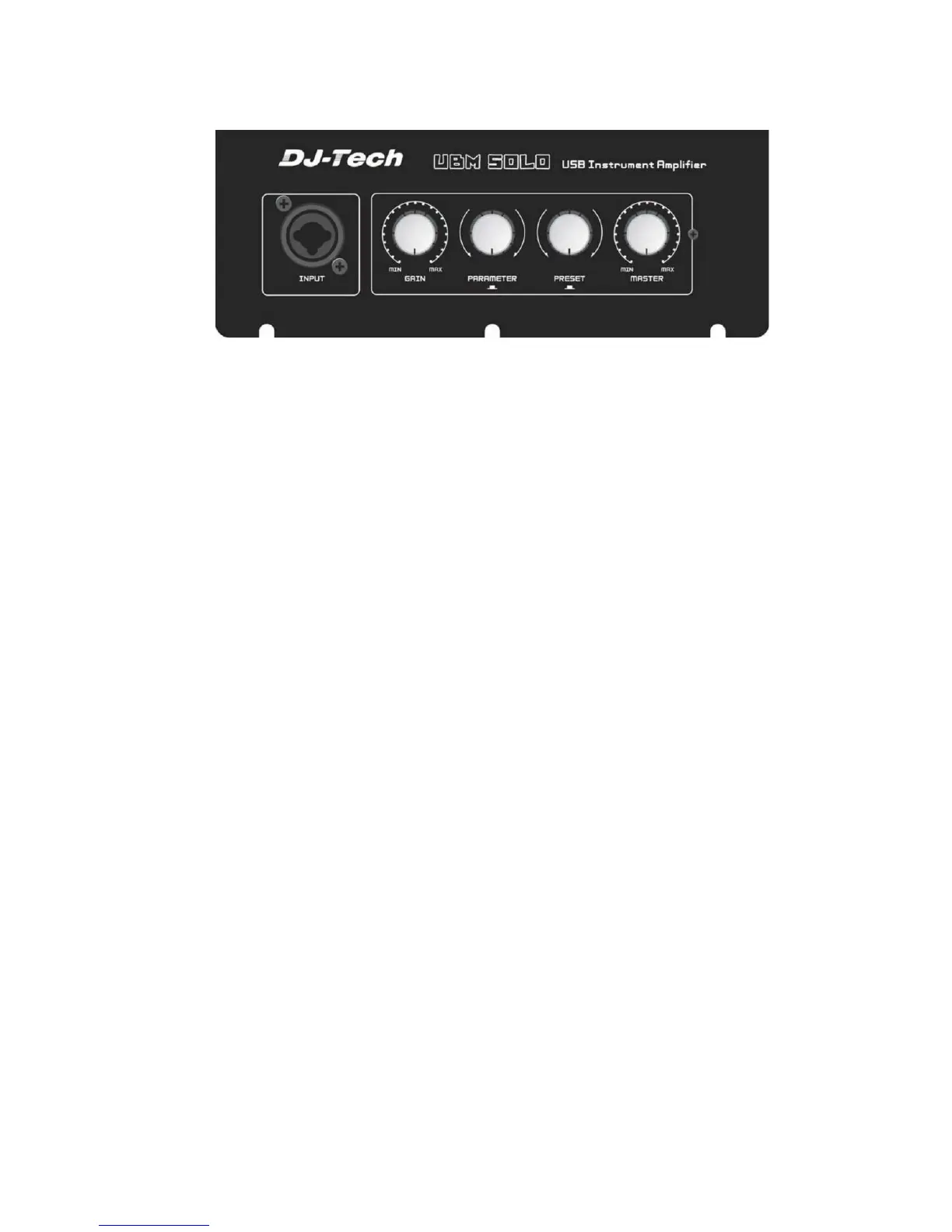
The top panel controls as shown in the above figure:
1. Input Jack.
This is an XLR “Combo” jack and can accept the following types of input:
- 1/4” guitar cable
- 1/4” microphone cable
-XLR balanced microphone cable
2. Gain.
This controls the input level of the input jack. It has a wide range to accommodate a variety of
inputs (instrument, guitar, bass, or microphone)
3. Parameter.
This is used with the UBM Studio software and is used to change or edit settings in the software. It has
2 functions:
-Turn to increase/decrease the selected value.
- Press the knob to move to the next parameter in the UBM Studio window
4. Preset.
This is used with the UBM Studio software and is used to change the currently selected preset.
5. Master.
This knob controls the overall volume of the UBM Solo.
6. Power LED.


 To Next Page