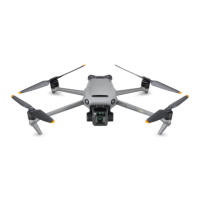
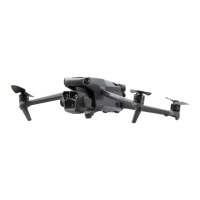
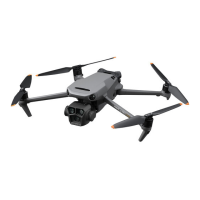
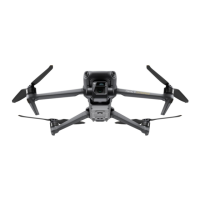
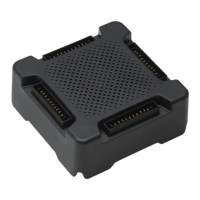
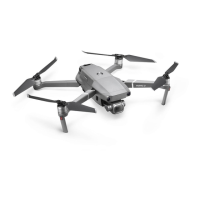
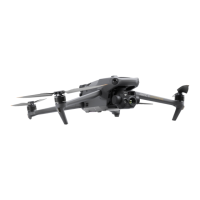
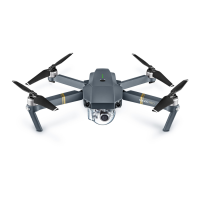
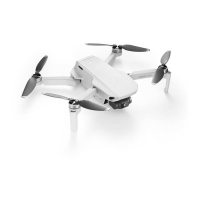
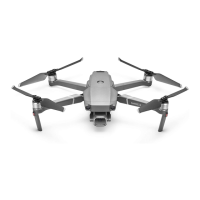
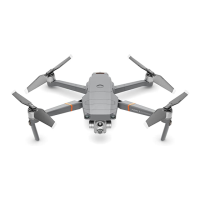
The DJI Mavic 3 Cine is an advanced aerial photography and videography drone designed for professional use, offering a comprehensive suite of features for capturing high-quality imagery and ensuring a stable, intelligent flight experience.
Function Description
The Mavic 3 Cine is equipped with a sophisticated dual-camera system featuring a 3-axis gimbal, capable of shooting up to 5.2K video and 20-megapixel photos. This system includes both a telephoto and a wide camera, providing versatility for various shooting scenarios. The drone incorporates advanced flight technologies such as Omnidirectional Obstacle Sensing, an Infrared Sensing System, and a fully stabilized 3-axis gimbal to ensure smooth and safe operation. DJI's signature technologies, including Obstacle Avoidance and Intelligent Flight Modes like HyperLapse, ActiveTrack, QuickShot, and Panorama, enhance creative possibilities and simplify complex shots. The drone is designed for efficient and reliable performance, making it suitable for demanding aerial cinematography tasks.
Important Technical Specifications
Aircraft (Model: L2P/L2A)
- Weight: < 920 g
- Max Flight Time: 46 minutes (0 wind while flying at a consistent 15.5 mph (25 kph))
- Operating Temperature: 14° to 104°F (-10° to 40°C)
- Operating Frequency: 2.400-2.4835 GHz; 5.725-5.850 GHz
- Transmitter Power:
- 2.4GHz: ≤28.33 dBm (FCC), ≤20 dBm (CE/SRRC/MIC)
- 5.8GHz: ≤29.9 dBm (FCC), ≤14 dBm (CE), ≤29 dBm (SRRC)
Wi-Fi
- Protocol: WiFi Direct, Wi-Fi Display, 802.11a/b/g/n/ac/ax 2×2 MIMO
- Operation Frequency: 2.400-2.4835 GHz; 5.725-5.850 GHz
- Transmission Power:
- 2.4 GHz: ≤20.11 dBm (FCC), ≤18.5 dBm (CE/SRRC/MIC/KCC)
- 5.8 GHz: ≤19.11 dBm (FCC/SRRC), ≤12.5 dBm (CE/KCC)
Bluetooth
- Protocol: Bluetooth 5.1
- Operation Frequency: 2.400-2.4835 GHz
- Transmission Power: ≤5.98 dBm
Camera
- Sensor:
- Telephoto Camera: 1/2" CMOS; Effective pixels: 12M
- Wide Camera: 4/3" CMOS; Effective pixels: 20M
- Lens:
- Telephoto Camera: FOV: 15°, 35mm format equivalent: 160 mm, Aperture: f/4.4, Focus: 3 m to ∞
- Wide Camera: FOV: 84°, 35mm format equivalent: 24 mm, Aperture: f/2.8-f/11, Focus: 1 m to ∞
- ISO Range:
- Telephoto Camera: Video: 100-3200 (auto), Photo: 100-3200 (auto)
- Wide Camera: Video: 100-6400, Photo: 100-3200 (auto), 100-12800 (manual)
- Shutter Speed:
- Telephoto Camera: Electronic: 1-1/8000 s
- Wide Camera: Electronic: 8-1/2000 s, Mechanic: 8-1/2000 s
Remote Controller (Model: RM510)
- Weight: Approx. 750 g
- Battery: 18650 Li-ion (5000 mAh @ 7.2 V)
OcuSync 3.0
- Operation Frequency: 2.400-2.4835 GHz; 5.725-5.850 GHz
- Transmission Power:
- 2.4GHz: ≤31.5 dBm (FCC), ≤20 dBm (CE/SRRC/MIC)
- 5.8GHz: ≤32 dBm (FCC), ≤14 dBm (CE), ≤21 dBm (SRRC)
Intelligent Flight Battery
- Capacity: 5000 mAh
- Battery Type: LIPO 4S
- Energy: 77 Wh
- Charging Temperature: 41° to 113°F (5° to 45°C)
- Max Charging Power: 88 W
Usage Features
The Mavic 3 Cine is designed for ease of use and professional-grade control.
Aircraft Components:
- Gimbal and Camera: The core imaging system.
- Telephoto Camera: Specialized for zoomed shots.
- Wide Camera: For broad, expansive views.
- Forward Vision System: Part of the obstacle sensing system.
- Auxiliary Bottom Light: Enhances visibility in low light.
- Downward Vision System: Aids in stable hovering and landing.
- Infrared Sensing System: Provides additional obstacle detection.
- Front LEDs: Status indicators.
- Motors: Power the propellers.
- Propellers: Generate lift and thrust.
- Aircraft Status Indicator: Displays flight status.
- Landing Gear (antennas included): Supports the aircraft on the ground and houses antennas.
- Upward Vision System: Contributes to obstacle avoidance.
- Intelligent Flight Battery: Powers the drone.
- Battery Level LEDs: Indicate remaining battery life.
- Power Button: For turning the drone on/off.
- Battery Buckles: Secure the battery.
- Charging/Upgrading Port (USB-C): For charging and firmware updates.
- microSD Card Slot: For storing captured media.
Remote Controller (DJI Smart Controller V2.0):
The DJI Smart Controller V2.0 features O3, DJI's latest version of OCUSYNC™ image transmission technology, providing a live HD view from the aircraft at distances up to 15 km. It supports Wi-Fi, 4G dongle, Bluetooth, and GNSS. The built-in 5.5-inch high brightness 1000 cd/m² screen boasts a resolution of 1920×1080 pixels, ensuring clear visibility even in bright conditions. The controller offers a wide range of aircraft and gimbal controls and has a maximum operating time of 3 hours.
Remote Controller Components:
- Antennas: For signal transmission and reception.
- Back Button/Function Button: Multi-purpose control.
- Control Sticks: For flight control.
- RTH Button: Return-to-Home function.
- Flight Pause Button: Pauses flight operations.
- Flight Mode Switch: Toggles between flight modes.
- 5D Button: Multi-directional control.
- Power Button: Turns the controller on/off.
- Confirm Button/Customizable Button C3: Confirms selections or custom functions.
- Touchscreen: For interacting with the DJI Fly App.
- microSD Card Slot: For storing controller data.
- USB-C Port: For charging and data transfer.
- Mini HDMI Port: For video output.
- Gimbal Dial: Controls gimbal pitch.
- Record Button: Starts/stops video recording.
- Status LED: Indicates controller status.
- Battery Level LEDs: Shows controller battery life.
- Focus/Shutter Button: Controls camera focus and takes photos.
- Camera Settings Dial: Adjusts camera parameters.
- Air Vent: For cooling.
- Control Sticks Storage Slots: For storing control sticks.
- Customizable C1 Button: Customizable function button.
- Speaker: For audio feedback.
- Customizable C2 Button: Customizable function button.
- Air Intake: For cooling.
Flight Operations:
- Pre-flight Preparation:
- Unfolding the Aircraft: Unfold the front arms and propellers first, then the rear arms and propellers. Ensure propellers are correctly matched to motors (marked vs. unmarked).
- Preparing the Remote Controller: Remove control sticks from storage, attach them, and unfold the antennas.
- Powering On: Power on the remote controller, then the aircraft.
- Launching DJI Fly App: Access the DJI Fly App on the controller's touchscreen.
- Takeoff and Landing:
- Auto Takeoff/Landing: Initiated via the DJI Fly App or dedicated buttons.
- Manual Takeoff/Landing: Performed using combination stick commands (start/stop motors) and precise stick movements for ascent/descent.
- Remote Controller Operation: Intuitive stick controls for left/right stick (up/down, turn left/right) and right stick (forward/backward, left/right).
Maintenance Features
Battery Management:
- Charging: The Intelligent Flight Battery and remote controller can be charged using the provided charger.
- Checking Battery Levels: Press the power button once to check the battery level. Press, then press and hold to turn the device on/off.
Firmware Updates:
- The drone and remote controller firmware can be updated via the DJI Fly App or by connecting to a computer.
Propeller Installation:
- Propellers are designed for easy and secure attachment, with marked propellers matching marked motors and unmarked propellers matching unmarked motors. This ensures correct rotation and flight stability.
General Maintenance:
- Regularly check the aircraft and remote controller for any signs of damage or wear.
- Ensure all components are clean and free from dust or debris, especially the camera lenses and vision sensors.
- Store the device in a cool, dry place when not in use.
The Mavic 3 Cine is a robust and feature-rich drone, designed to meet the demands of professional aerial imaging with its advanced camera system, intelligent flight modes, and user-friendly controls.

 Need help?

 To Next Page
 General