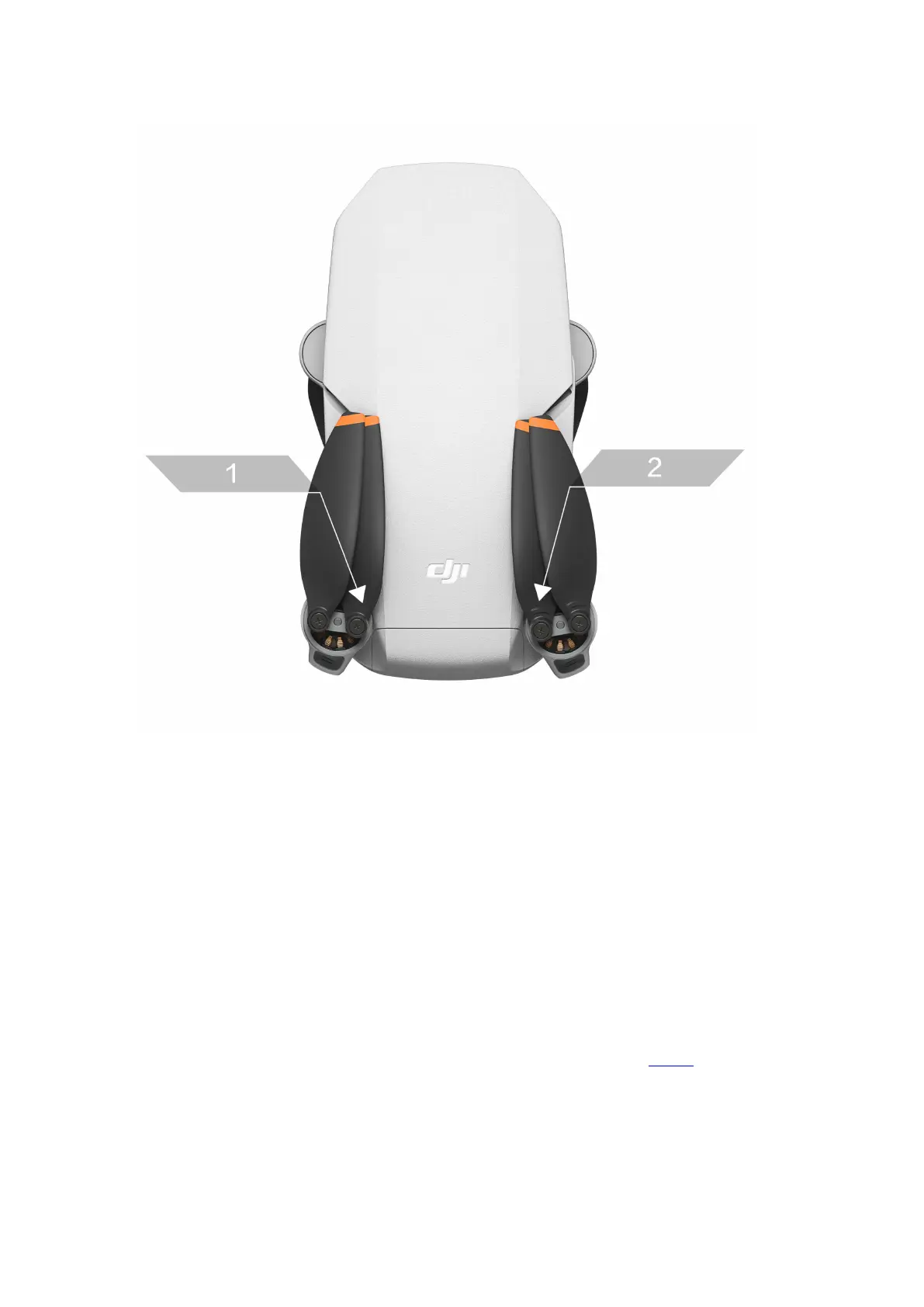
· Attaching or Replacing the Propellers
Step 1: Place the drone horizontally and make sure that the drone's camera faces
forwards;
Step 2: Tighten the propellers with a mark onto the motors using the provided
screwdriver.
Step 3: Tighten the propellers without a mark onto the remaining motors.
To learn more about how to replace the propellers, watch the video:
Mounting and Removing the Battery




 To Next Page