Gimbal Camera
32
©
2016 DJI. All Rights Reserved.
Camera and Gimbal
Camera Prole
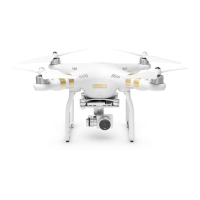
The on-board camera uses the 1/2.3 inch CMOS sensor to capture video (up to 4096x2160p at 24fps or
4K at up to 30fps with the Phantom 3 4K) and 12 megapixel stills. You may choose to record the video in
either MOV or MP4 format. Available picture shooting modes include burst, continuous, and time-lapse
mode. A live preview of what the camera sees can be monitored on the connected mobile device via the
DJI GO app.
Camera Micro-SD Card Slot
To store your photos and videos, insert the Micro-SD card into the slot, as shown below, before
turning on the Phantom 3 4K. The Phantom 3 4K comes with a 16 GB Micro-SD card and supports
Micro-SD cards up to 64 GB. A UHS-1 Micro-SD card is recommended due to their fast read and
write speeds allowing you to save high-resolution video data.
Do not remove the Micro-SD card from the Phantom 3 4K when it is turned on.
Camera Data Port
Turn on the Phantom 3 4K and connect a USB cable to the Camera Data Port to download photos and
videos to your computer.
The aircraft must be turned on before attempting to access the les on the Micro-SD card.


 To Next Page