Ultra-Bright Remote Monitor
User Guide
Introduction
The Ultra-Bright Remote Monitor uses the DJI
TM
O3 image transmission technology to establish a
wireless connection to the RONIN
TM
4D Video Transmitter mounted on the Ronin 4D. Users can
monitor the camera live view and control the camera via the monitor. The expansion plate is also
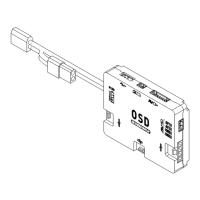
supported to expand input of DC and CAN and output of HDMI and SDI. Hand grips can be
mounted to the remote monitor cage on the monitor for remote control.
Diagram
1. Detachable Antennas
2. Ventilation Holes
3. 3.5mm Headphone Jack
4. microSD Card Slot
If a microSD card is mounted, the recorded files can be stored in the microSD card. The max
capacity is 512 GB.
5. HDMI Port
To output the live view to other display devices.
6. USB-C Port
Connect to the DJI Assistant 2 (Ronin Series) software using a USB-C cable to activate and
update the device and export data.
7. Power Indicator
The indicator will be solid on after powered on and it will be off when powered off.
8. Power Button
Press once to power on the device. Press and hold to power it off.

 Need help?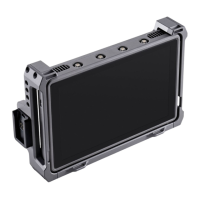

 To Next Page
 General