EasyManua.ls Logo

DJO VenaPro User Manual

Default Icon
2 pages
To Next Page IconTo Next Page
Page #1 background imageLoading...
Page #1 background image
PATIENT QUICK START GUIDE
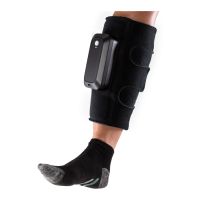
CALF CUFF APPLICATION
Wrap the cuff around the calf and secure the
hook and loop tabs to hold it in place. Make
sure the wrap is snug, but not too tight.
CUFF PLACEMENT
When both wraps are secured on your legs
they should look like the picture above.
TURNING THE DEVICE ON
When the wraps are secured on your legs
PRESS and HOLD the WHITE power button
for about a second until the light is illuminated
on each unit.
USING THE DEVICE
Don’t be startled. The device will make a
“humming” sound when inflating and
squeezing your leg. THIS IS NORMAL. The
wraps will inflate once a minute. IF you FEEL
air releasing around the legs, this is normal.
This is a function of the device to keep your
legs cool.
APPLICATION: POWER INDICATORS:
What to do if the Pump
Alarms
Don’t worry, the alarms are
there to ensure the units are
operating correctly.
BATTERY CRITICAL
If battery voltage drops below a critical
level, cycling stops, audible alarm will sound,
and UNIT WILL FLASH YELLOW. The Alarm will
continue for 30 seconds (unless the unit is
powered off) and automatically turn the unit
OFF.
If the power button illuminates GREEN the units
are fully operational.
If the devices DO NOT turn ON, or the
power button is “YELLOWorFLASHING YELLOW”,
plug in the power cord immediately to the
electrical outlet.
IF both units are plugged in, AND turned ON the
power button will be GREEN and
the batteries WILL charge at the same time.
When the unit is turned OFF and plugged in the
battery is charging the
POWER BUTTON FLASHES RED.
Once the battery reaches full charge the POWER
BUTTON WILL BE RED and
REMAIN SOLID
For Application and Usage Questions Please Contact Customer Care:
877.475.7050
BEFORE USING THE DEVICE, PLEASE READ THE INSTRUCTIONS FOR USE COMPLETELY AND CAREFULLY. CORRECT APPLICATION IS VITAL TO THE PROPER FUNCTIONING OF THE DEVICE.
LOW PRESSURE OR LEAK
If the ALARM sounds and the BLUE LED is
flashing, the pressure is too LOW. Make sure wrap
is attached snugly to the leg. Turn the Unit OFF
and then back ON to reset the alarm. If the unit
continues to ALARM after this step, DO NOT try to
fix the device.
ALARMS:
USB PORT (PHYSICIAN USE ONLY)
LOW PRESSURE INDICATOR
POWER BUTTON
& BATTERY INDICATOR
CHARGING PORT
CHARGING YOUR VENAPRO
®
:
If you wear and operate the VenaPro
®
unit while charging
expect it to take approximately 4 hours to fully charge
(from a completely depleted battery.) If the unit is not in
use during charging, a complete charge (from a
completely depleted battery) will take approximately 3 hours.
PLEASE NOTE: Units are not shipped fully charged. Fully
charge unit before use.
LEFT LEG SHOWN HERE
2
1
4
3
Question and Answer IconNeed help?

Do you have a question about the DJO VenaPro and is the answer not in the manual?

DJO VenaPro Specifications

General IconGeneral
CategoryMedical Equipment
ApplicationDeep Vein Thrombosis (DVT) Prophylaxis
TypeCompression Device
IndicationsPatients at risk of venous thromboembolism
Pressure Settings45 mmHg
Cycle TimeInflation: 5 seconds, Deflation: 55 seconds
Power SourceAC Power
Size OptionsUniversal fit
Color OptionsWhite
Featurescompliance monitoring

Summary

Application and Device Operation

Calf Cuff Application

Wrap the cuff around the calf and secure the hook and loop tabs snugly but not too tight.

Cuff Placement

Ensure both wraps are secured on your legs to look like the provided illustration.

Turning the Device On

Press and hold the white power button for about a second until the light illuminates on each unit.

Using the Device

The device makes a normal humming sound and may release air to cool the legs.

Power Indicators and Charging

Power Indicator Lights

Explains the meaning of green, yellow, and red power button lights during operation and charging.

Charging Your VenaPro

Charge the unit before use; full charge takes approx. 3-4 hours depending on usage.

Alarms and Troubleshooting

Battery Critical Alarm

Audible alarm and flashing yellow light indicate low battery; unit will turn off.

Low Pressure or Leak Alarm

Flashing blue LED means low pressure or leak; check wrap snugness and reset unit.

Cleaning, Purpose, Indications, Contraindications, and Warnings

Cleaning and Disinfecting

Clean the unit with a soft cloth moistened with soapy water or 70% isopropyl alcohol.

Purpose of the Device

To aid in DVT prevention by stimulating blood flow in the legs via compression.

Indications for Use

For use in home or clinical settings to aid DVT prevention by stimulating blood flow.

Contraindications

Lists conditions and situations where the VenaPro device must not be used.

Warnings and Precautions

Important safety information regarding EMC, skin irritation, and device handling.

What is DVT?

DVT is a blood clot that forms in a vein, often in the lower leg or thigh.

Why Use VenaPro?

Helps prevent thromboembolic risk, which can extend for 30+ days post-discharge.

Related product manuals