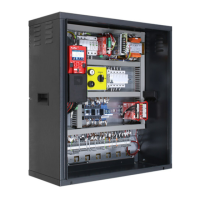
Enter the menu “SPECIAL FUNCTIONS” submenu “FIREFIGHTERS” and set:
• The floor where the fire-fighters key is located
• The Access (if there are multiple doors)
•The stand-by state of the key switch contact (NO or NC); in case of NC contact the CPOM input of TOC box must be
shunted.
• The operation EN 81-72 (a)
Using these settings and once the fire-fighters key at fire-fighters floor has been activated (input POM), the elevator
will go to the programmed floor, open the doors and turn off the Landing Operation Panels (PHASE 1); The Car
Operating Panel remains in operation. The operation ends when the elevator arrives at the programmed floor and the
fire-fighters key is turned to ‘off’ condition.
Enter the menu “SPECIAL FUNCTIONS” submenu “FIREFIGHTERS” and set:
• The floor where the fire-fighters key is located
• The Access (if there are multiple doors)
• The stand-by state of the key switches (NO or NC)
• The operation EN 81-72 (b)
Using these settings and once the fire-fighters key at the fire-fighter floor has been activated, the elevator will go to
the programmed floor (PHASE 1), open the doors and turn off the Landing Operation Panels. The Car Operating
Panel remains in operation but only after the fire-fighter key in the CAR (input CPOM) has been turned on. The
operation ends when the elevator arrives at the programmed floor and the fire-fighters keys are turned to ‘off’
condition.
Situation 2 – Two firefighters key switches (at floor and in the elevator car)
Enter the menu “SPECIAL FUNCTIONS” submenu “FIREFIGHTERS” and set:
• The floor where the elevator must go in case of direct activation of the contact from the external fire contact
• The Access (if there are multiple doors)
• The stand-by state of the contact of the external fire contact (NO or NC) . If there are programmed contacts of NC
type the input CPOM of TOC box must be shunted
• The operation EN 81-72 (b)
Connect the contact to the POM input of the controller.
Using these settings and once the contact is activated by the external fire contact, the elevator will go to the
programmed floor, open the doors and remain stopped (PHASE 1). The Landing Operation Panels and the Car
operating Panel are disabled. The reactivation of the elevator will take place at the deactivation of the contact from
the external fire contact.
Situation 3 – External fire contact for fire detection with one contact only
Enter the menu “SPECIAL FUNCTIONS” submenu “FIREFIGHTERS” and set:
• The floor where the fire-fighters key is located
• The Access (if there are multiple doors)
• The stand-by state of the key switch and of the external fire contact (NO or NC)
• The operation EN 81-72 (b)
• Connect the wiring as indicated in the electric diagram: the contact from the external fire contact must be connected
Situation 4 – External fire contact with one contact and one firefighters key only (at floor)


 To Next Page
 Loading...