
 Need help?
Do you have a question about the DMI Nord Stage 4 and is the answer not in the manual?
Essential safety guidelines for using electric products.
Specific warnings about fire, shock, and product placement.
Guidance on recycling and proper disposal of electronic devices.
Instructions for recycling cardboard, plastic foam, and plastic bags.
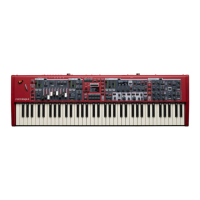
Lists the main capabilities and components of the Nord Stage 4.
Instructions on how to revert the instrument to its original factory settings.
Introduction to the dedicated organ sound engine and its features.
Overview of the piano sound engine, library, and features.
Introduction to the versatile synth engine and its capabilities.
Introduction to the independent effects available for each layer.
Instructions for connecting the Nord Stage 4 to power and audio devices.
Steps for choosing and loading programs.
Explanation of the physical controls on the Nord Stage 4 panel.
Step-by-step guide to modifying an existing program.
Setting up keyboard splits to divide the instrument into zones.
Detailed overview of the synth section's features and sound generation.
How to synchronize arpeggios and effects to a master clock tempo.
Choosing between B3, Vox, Farfisa, and Pipe Organ models.
Explanation of physical drawbars and their LED visual feedback.
Detailed description of the B3 tonewheel organ simulation.
Details on the Vox transistor organ model and its drawbars.
How to switch between preset drawbar values and live drawbar control.
Controlling the piano section's power and layer volume.
Choosing desired piano types and models from the library.
Detailed functions and connections for the Nord Triple Pedal.
Creating stereo unison effects by adding extra oscillators.
Introduction to the three independent synth layers and their sound capabilities.
Selecting between Analog, Samples, and Extern modes for the synth.
Using and managing sample-based sounds for the synth section.
Exploring analog waveforms and synthesis parameters.
Overview of filters for shaping synth sound timbre.
Shaping sound over time using Attack, Decay, and Release envelopes.
Using the Low Frequency Oscillator for modulation effects.
Navigating and configuring arpeggiator settings and patterns.
Definition of a program and what settings it stores.
How to assign controllers for dynamic parameter morphing.
Setting up keyboard splits for zone-based sound assignments.
Instructions for saving edited programs to memory locations.
Accessing and loading sounds from the organ, piano, and synth preset banks.
Selecting different display modes for program information.
Overview of controlling external MIDI instruments via the synth section.
Sending Control Change messages to external devices.
Automating MIDI data transmission when programs are loaded.
General introduction to the effects section and its capabilities.
Details on modulation effects like Tremolo, Chorus, and Phaser.
Explanation of the delay effect, including tempo and feedback controls.
Using amplifier simulations and equalization for sound shaping.
Emulating the sound of a rotating speaker effect.
How the Nord Stage 4 interacts with MIDI devices.
Configuration of the global MIDI channel for overall control.
How program change messages are transmitted and received.
Disconnecting the keyboard from internal sound engines.
Accessing system-wide settings like memory protection and transpose.
Adjusting sound-related parameters across different sections.
Configuring pedal inputs for expression, sustain, and switches.
Settings for MIDI communication, channels, and local control.
Introduction to the software for managing instrument content.
Hardware and software requirements for using Nord Sound Manager.
Introduction to the software for creating custom sample instruments.
Hardware and software requirements for using Nord Sample Editor 4.
Guide to connecting audio input and output devices.
Details on MIDI input, output, and USB connections.
Information on connecting various types of pedals.
Critical warnings regarding product modification and interference.
Declarations of conformity with FCC and Canadian regulations.
 General
| Brand | DMI |
|---|---|
| Model | Nord Stage 4 |
| Category | Electronic Keyboard |
| Language | English |

 To Next Page