DNA YOU2B
Instrukcja obsługi / User Manual
8
Computer settings
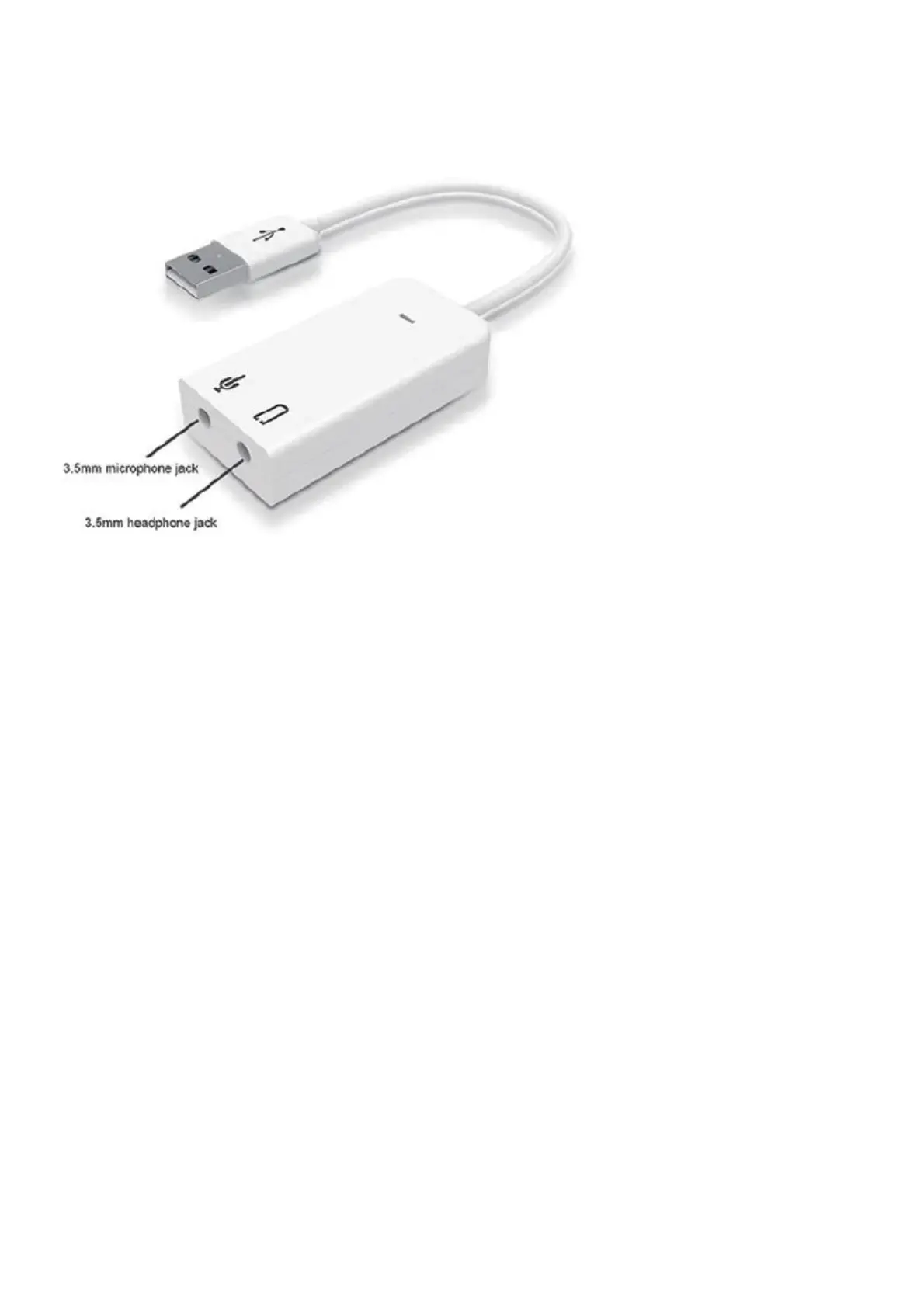
1. Check if the microphone is connected to the computer properly. Right click on the speaker in the
lower right corner.
2. Set the listening device. Open the external playback to hear your own voice.
3. Set the microphone volume. Generally set between 50 and 70. If the volume is too high there will
be generated noise.
4. Set AGC (Automatic Gain Control). AGC is not automatically checked. For example, if the micro-
phone volume is enhanced, the background noise will also be enhanced.
Information about used electrical and electronic equipment
The main goal of European and national law regulations is to reduce the amount of waste produced
from used electrical and electronic equipment, to ensure an appropriate level of collection, recovery
and recycling of used equipment, and to increase public awareness of its harmfulness to the environ-
ment, at each stage of use of electrical and electronic equipment. Therefore, it should be pointed out
that households play a key role in contributing to reuse and recovery, including recycling of used equip-
ment. The user of electrical and electronic equipment – intended for households – is obliged to return
it to authorized collector after its use. However, it should be remembered that products classified
as electrical or electronic equipment should be disposed of at authorized collection points.



 To Previous Page