C-6000i Computerized Jigging Reel User Manual
13
Advanced Features
All touch pads have their basic functions but they can also be used to access
more advanced features. The main pad doesn’t give access to any features
but the other three do. Let’s take a closer look at each one of the advanced
features:
False bottom
There are two ways to set/clear a false bottom. One of them is by working in
a special window that is accessed with the MODE pad. The other one is by
pressing the PLUS/MINUS pad when the reel is paying out.
Let’s begin with the first one:
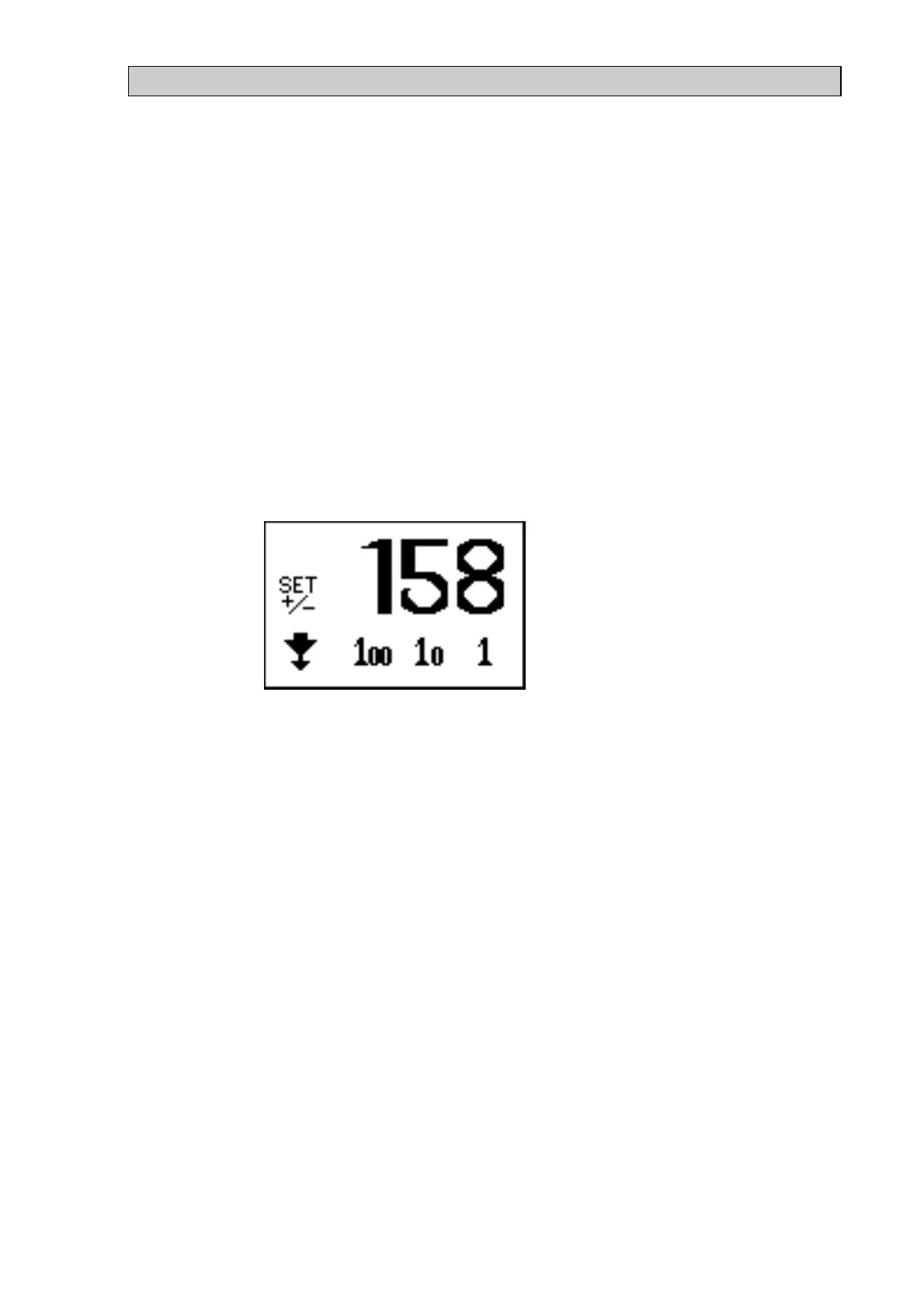
If screen one is the active one and the cursor is not flashing then a special
window (see Figure 7) can be accessed by pressing the MODE pad for five
seconds.
Figure 7
The icon in the lower left corner of the window will start flashing. The
function of this icon will be explained later in this section (see Slow down
when paying out on page 14). Now the next three icons can be used to alter
the digits in the three digit figure in the window. When the figure has been
set to the depth of the false bottom, go to the “SET +/-“ icon and press the
PLUS pad. Now a line will appear beneath the depth counter indicating that
a false bottom has been set. The icon in the lower left corner of the window
will start flashing again and you should press the MINUS pad to exit the
window. The depth of the false bottom can always be reviewed by accessing
this window again. To exit the window without changing anything press the
MINUS pad when the icon in the lower left corner is flashing.
The same method can be used to change the depth of the false bottom. To
clear the false bottom, simply go straight to the “SET+/-“ icon and press the
MINUS pad. Then the line beneath the depth counter will disappear
indicating that a false bottom is no longer active.
The other way to set/clear a false bottom is by pressing the PLUS/MINUS
pad when the reel is paying out and the cursor is not flashing on screen one.
If the PLUS pad is pressed then a false bottom is set at the depth shown by
the depth counter. The reel will immediately start to jig and a line will
appear beneath the depth counter indicating that a false bottom has been set.


 To Next Page
 Loading...