GARMIN
®
NA VIGATION (8.4N ONLY)
• Uconnect Touch 8.4N integrates Garmin’s consumer-friendly navigation into your
vehicle. Garmin Navigation includes Lane Assist and Junction View, Speed Limit
information, and a database with over 6 million points of interest.
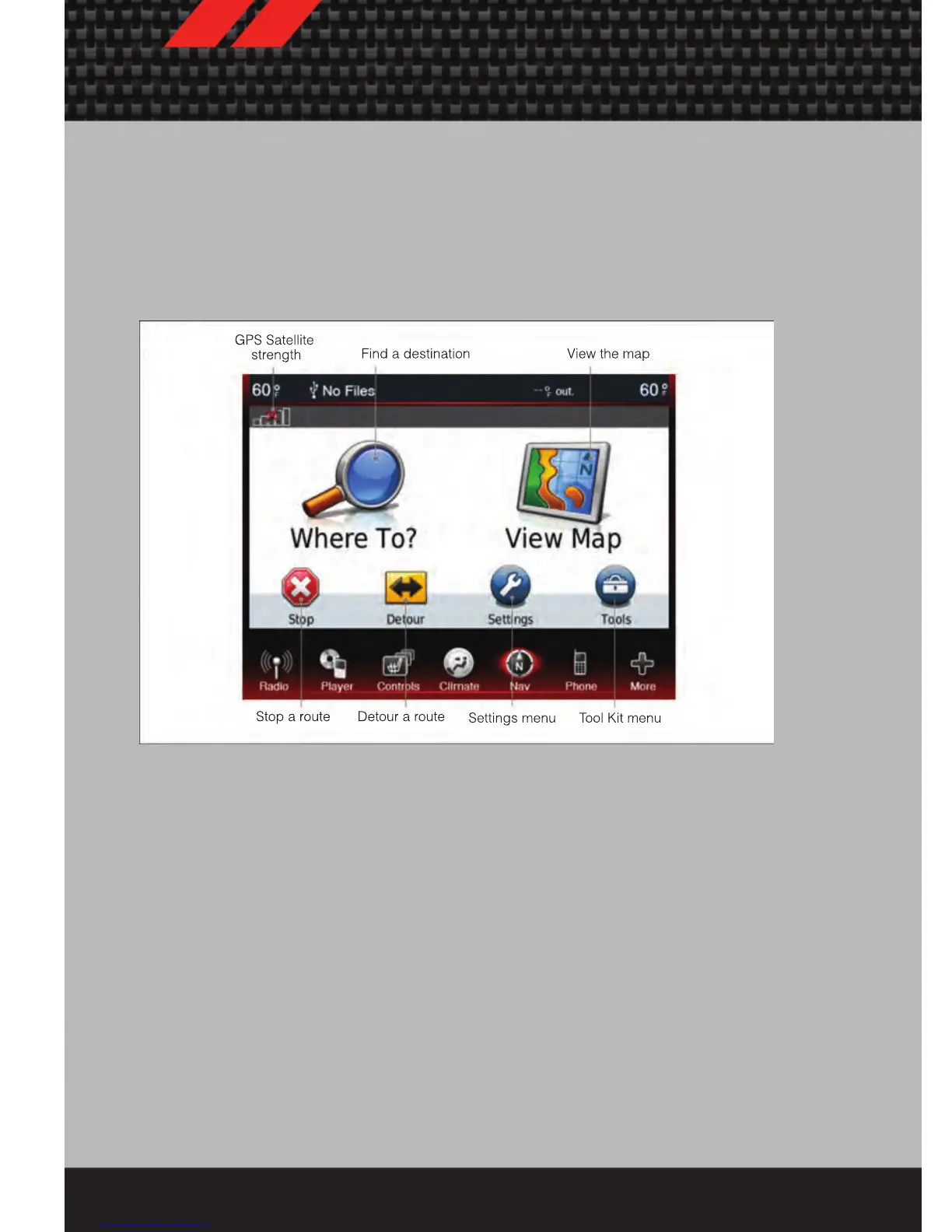
• Touch the NAV soft-key in the menu bar to access the Navigation system
Main Navigation Menu
Acquiring Satellites
• The GPS Satellite strength bars indicate the strength of your satellite reception.
• Acquiring satellite signals can take a few minutes. When at least one of the bars is
green, your device has acquired satellite signals. If no signal is found the
Navigation system still can operate with internal gyro direction & location based on
data provided by the vehicle.
Finding Points of Interest
• From the main Navigation menu, touch Where To?, then touch Points of Interest.
• Select a Category and then a subcategory, if necessary.
• Select your destination and touch Go.
Finding a Place by Spelling the Name
• From the Main Navigation Menu, touch Where to?, then touch Points of Interest
and then touch Spell Name.
• Enter the name of your destination.
ELECTRONICS
46














 To Next Page