NAVIGATION
•
Your navigation system receives GPS sig-
nals from up to 16 satellites to display the
position of your vehicle. Map and database
information is supplied through a hard disk
drive.
•
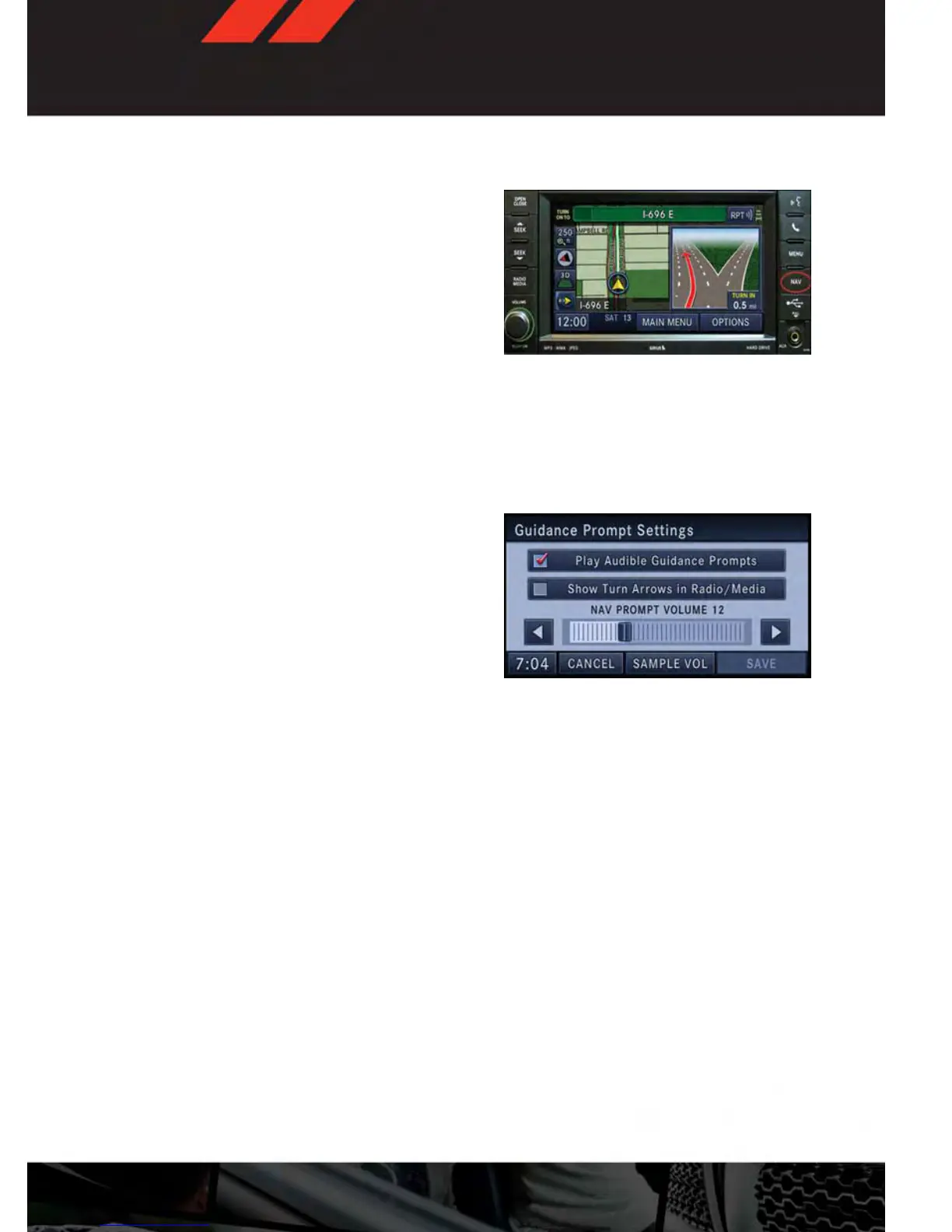
Touch the “NAV” hard-key on the radio face
plate to access the Navigation system and
the NAV – Main Menu.
Changing the Navigation Guidance Prompt Volume
1. From the Navigation Map screen, touch the Menu hard-key and then touch the Guidance
Prompts soft-key.
2. Select and adjust the navigation guidance prompt volume using the left and right
arrows.
3.
Touch the “SAMPLE VOL” soft-key to listen
to the current volume setting.
4. Once satisfied with the volume, touch the
“SAVE” soft-key to save the settings.
Touch the “CANCEL” soft-key to exit the
menu without saving the settings.
NOTE:
For your own safety and the safety of others,
it is not possible to use the certain features while the vehicle is in motion.
ELECTRONICS
65













 To Next Page