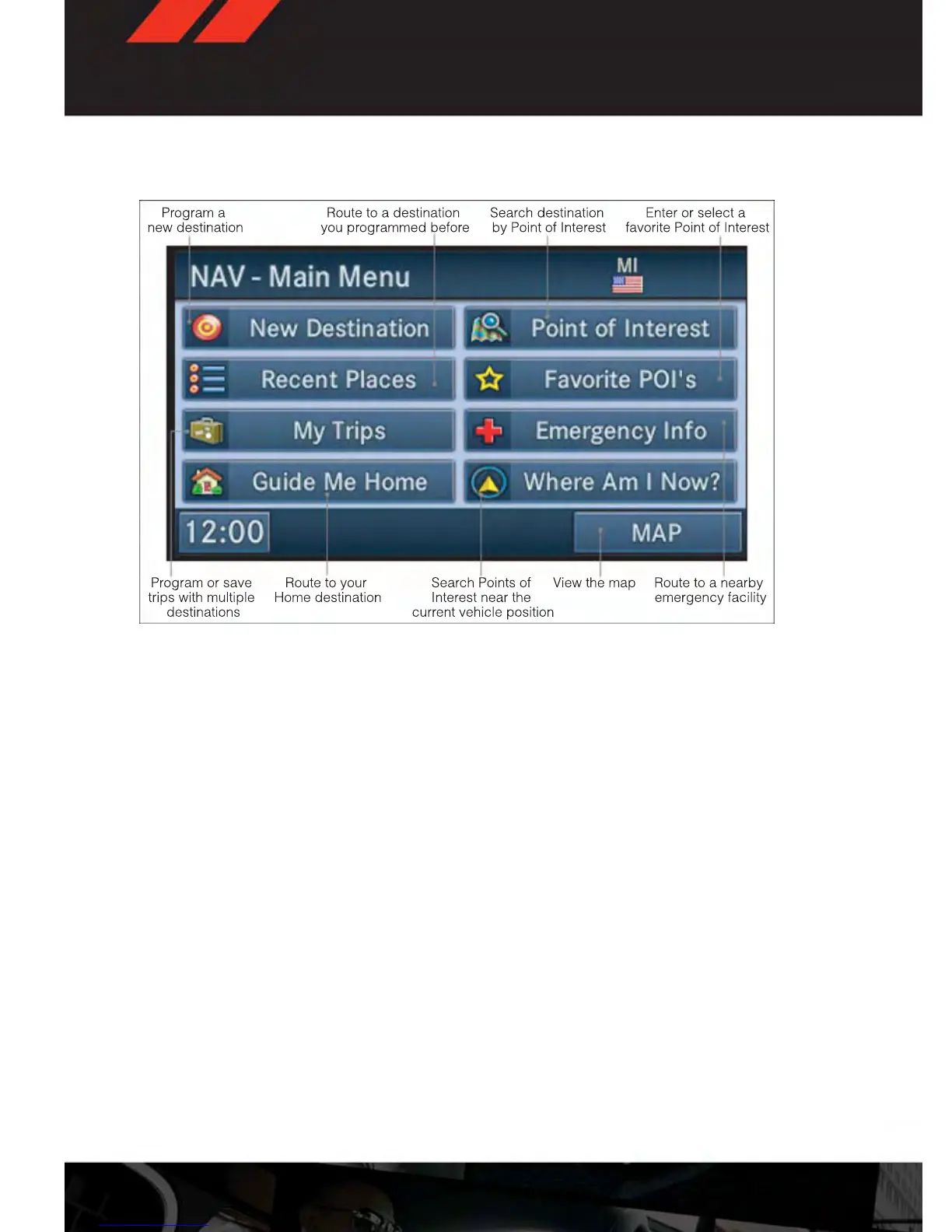
Main Navigation Menu
Finding Points Of Interest
• From the NAV main menu, touch the “Points of Interest” soft-key.
• Select a Category and then a subcategory, if necessary.
• Select your destination and touch “GO.”
Finding A Place By Entering The Street Address
• From the NAV main menu, touch “New Destination,” then touch “Street Address.”
NOTE:
If the State and/or Country displayed are incorrect, touch the corresponding soft-key to
make the correction.
• Once the Country and State are set and the Street Address screen is displayed, begin
spelling the street name in the speller. In the upper right corner the number of possible
roads decreases.
• Touch the “LIST” soft-key to display a list of possible street names. Select the correct
street name.
• Next input the number.
• In the Confirm Route screen the navigation radio displays the complete address, a map
of the destination area, and the current routing method for you to verify.
• Touch the “GO” soft-key to activate the route guidance.
ELECTRONICS
66













 To Next Page