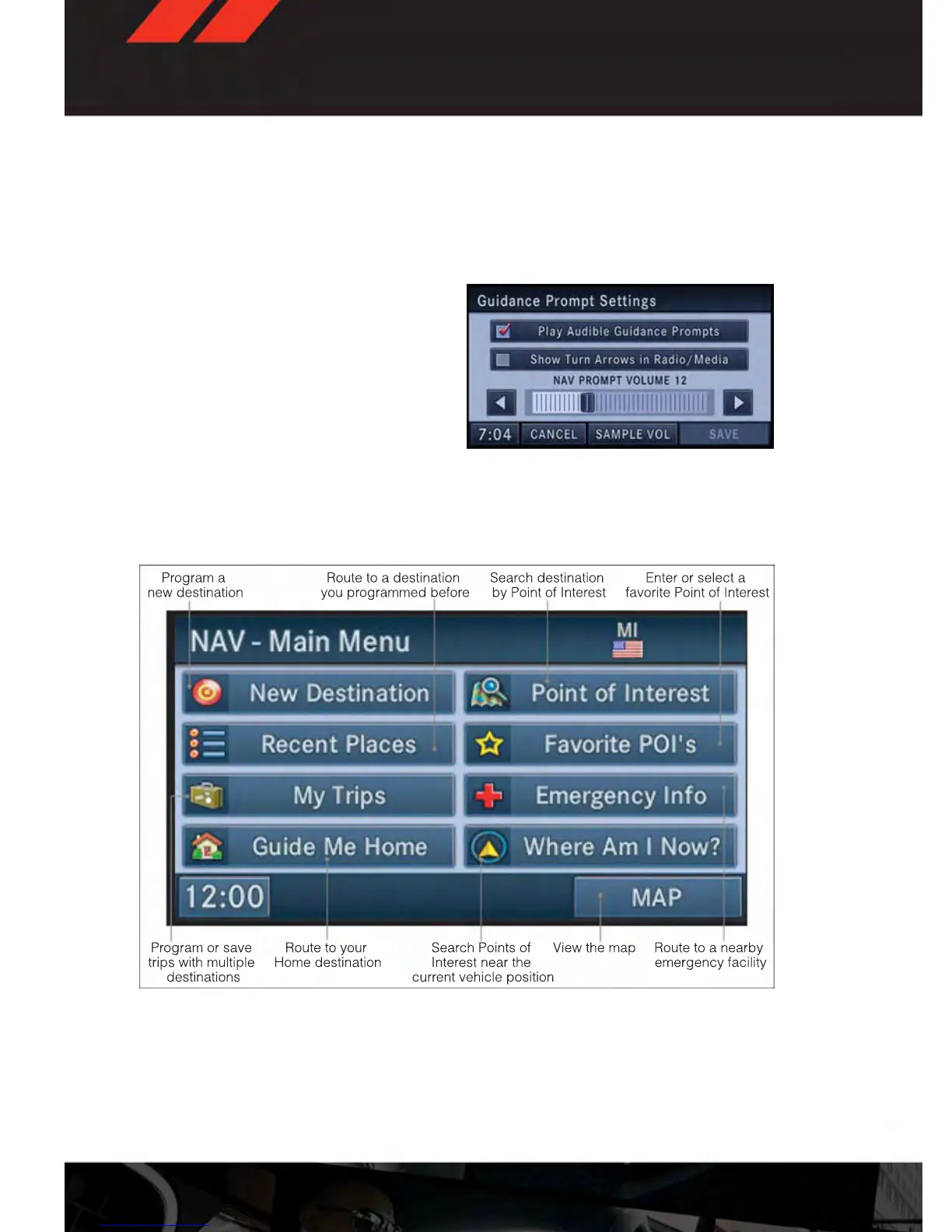
Changing The Navigation Guidance Prompt Volume
1. From the Navigation Map screen, touch the MENU hard-key then touch the “NAV Set-
tings” soft-key. Next select "Guidance Prompts."
2. Select and adjust the navigation guidance prompt volume using the left and right
arrows.
3. Touch the “SAMPLE VOL” soft-key to lis-
ten to the current volume setting.
4. Once satisfied with the volume, touch the
“SAVE” soft-key to save the settings.
Touch the “CANCEL” soft-key to exit the
menu without saving the settings.
NOTE:
For your own safety and the safety of others,
it is not possible to use certain features while the vehicle is in motion.
Main Navigation Menu
Finding Points Of Interest
1. From the NAV - Main Menu, touch the “Points of Interest” soft-key.
2. Select a Category and then a subcategory, if necessary.
3. Select your destination and touch “GO.”
ELECTRONICS
58










 To Next Page