Android Devices
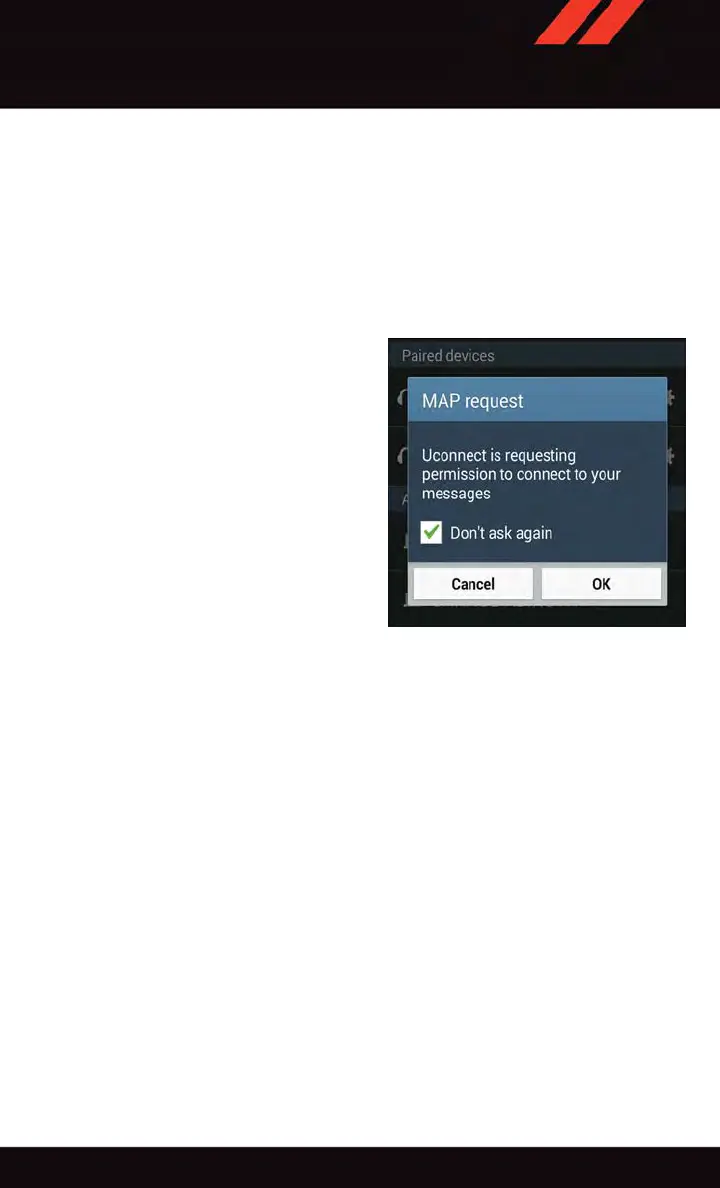
1. Push the Menu button on the mobile phone.
2. Select Settings.
3. Select Connections.
4. Turn “Show Notifications” to On.
• A pop up will appear asking you to accept a request for permission to connect to your
messages. Select “Don’t ask again” and press OK.
NOTE:
All incoming text messages received during
the current ignition cycle will be deleted
from the Uconnect
®
system when the igni-
tion is turned to the Off position.
Voice Text Reply (Not Compatible With iPhone®)
NOTE:
V oice texting reply and voice texting features require a compatible mobile device enabled
with Bluetooth
®
Message Access Profile (MAP). iPhone
®
, and some other smartphones,
may not entirely support Bluetooth
®
MAP. Visit UconnectPhone.com for the latest system
and device compatibility.
• Due to the extremely large number of mobile phone manufacturers, your mobile device
may not be listed. For further assistance, contact Uconnect
®
Customer Care @
1-877-855-8400 for U.S. residents or , 1-800-465-2001 (English) /
1-800-387-9983 (French) for Canadian residents.
Once your Uconnect
®
system is paired with a compatible mobile device, the system can
announce a new incoming text message, and read it to your over the vehicle audio system.
You can reply to the message using V oice Recognition by selecting, or saying, one of the
18 pre-defined messages.
Enable Android Device Incoming Text Mes-
sages
ELECTRONICS
143















 To Next Page