Get started with your Uconnect
®
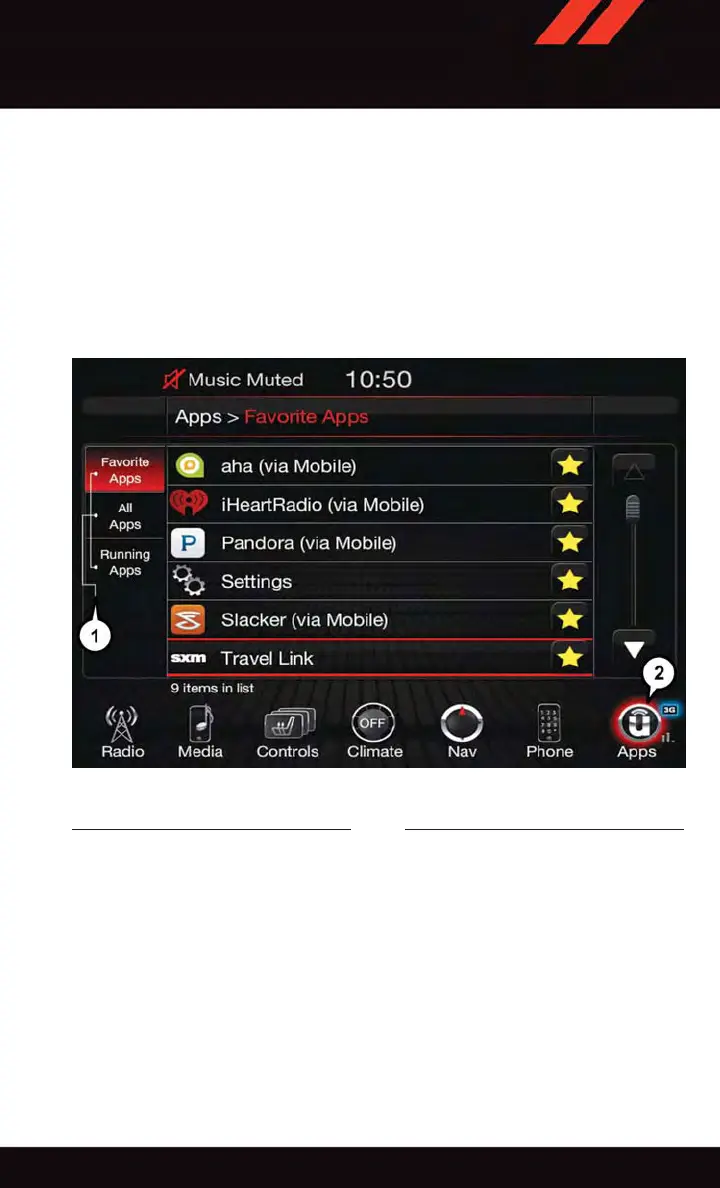
Access apps by pressing the Uconnect
®
“Apps” button
on the menu bar at the bottom right corner of the radio touchscreen. A vailable apps and
features are organized by the tabs on the left of the screen:
Favorite Apps — This is the default screen when you first press the “Apps” button on the
touchscreen, and is a good place to put the apps you use most frequently . To make an App
a “favorite”, press the star button next to the app name and confirm the prompt with
“yes."
All Apps — Organizes your Uconnect
®
Access apps (when available).
Running Apps — Press this tab to see which apps are currently running.
Favorite Apps
1 — Category Tabs 2 — Apps Button
ELECTRONICS
71















 To Next Page