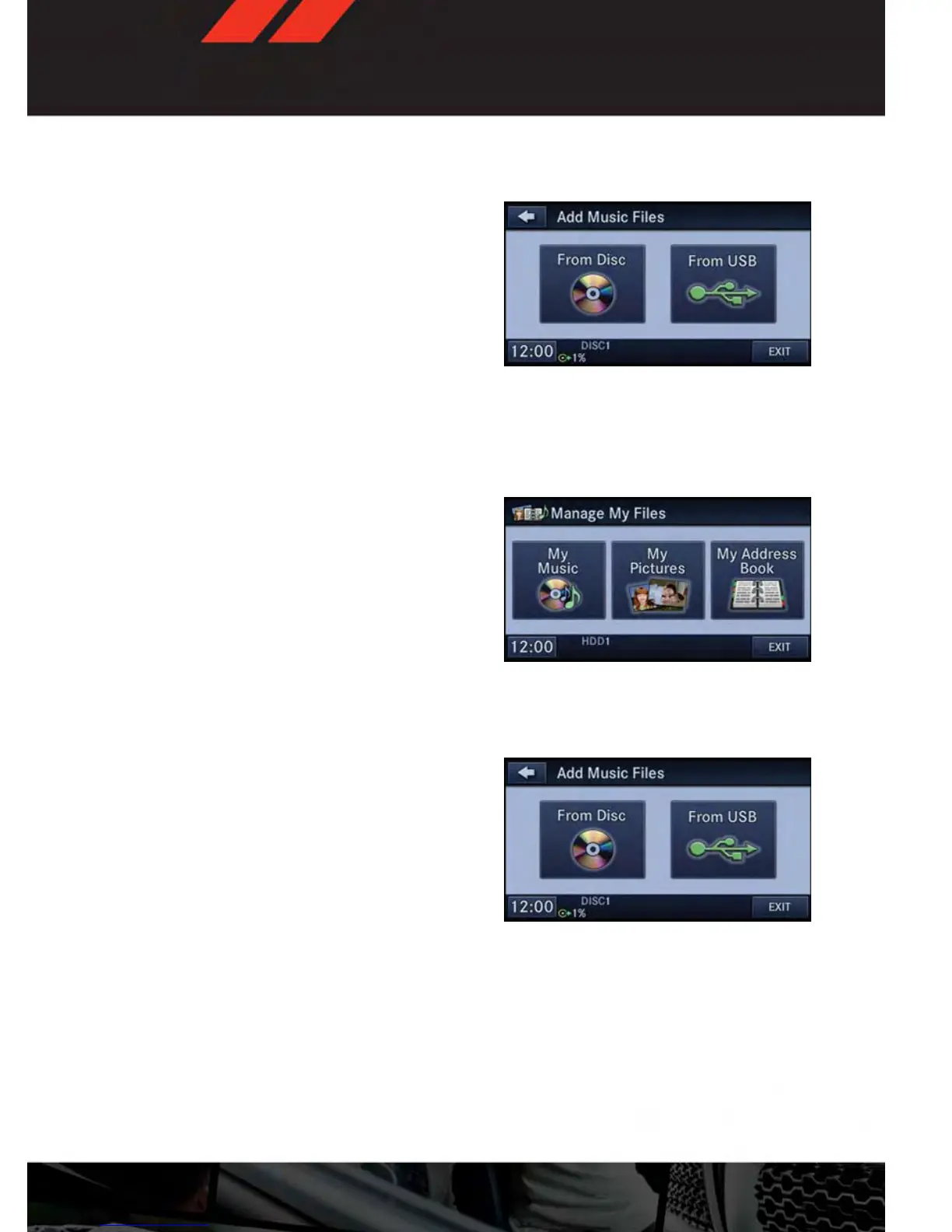
• Touch the “Add Music Files to HDD” soft-key, then touch the “From Disc” soft-key in the
next screen to start the process.
NOTE:
• You might need to select the folder or title
depending on the CD, then press “Done”
to start the copy process.
• The copy progress is shown in the lower
left corner of the screen.
Copying Music From USB
• The USB port on the radio face plate allows you to copy files to your hard drive. To access,
lift up on the cover.
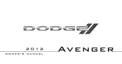
• Insert a USB device (e.g. thumb drive or memory stick), then select “MY FILES.”
• Touch the “MY MUSIC” soft-key, then touch the “Add Music Files” to HDD soft-key.
• Touch the “From USB” soft-key, then select the folders or titles you would like to copy, and
then touch the “SAVE” soft-key to start the copy process.
NOTE:
The copy progress is shown in the lower left
corner of the screen.
ELECTRONICS
51









 To Next Page