Selecting “Track” with the head unit will activate
the configuration for typical track driving. The
Transmission, Stability Control, All-Wheel Drive,
Steering, and Suspension systems are all set to
their “Track” settings, highlighted in red. The
Paddle Shifters are enabled.
NOTE:
Electronic Stability Control (ESC) Full-Off can
be activated by pushing and holding the ESC Off
button on the instrument panel switch bank for
five seconds.
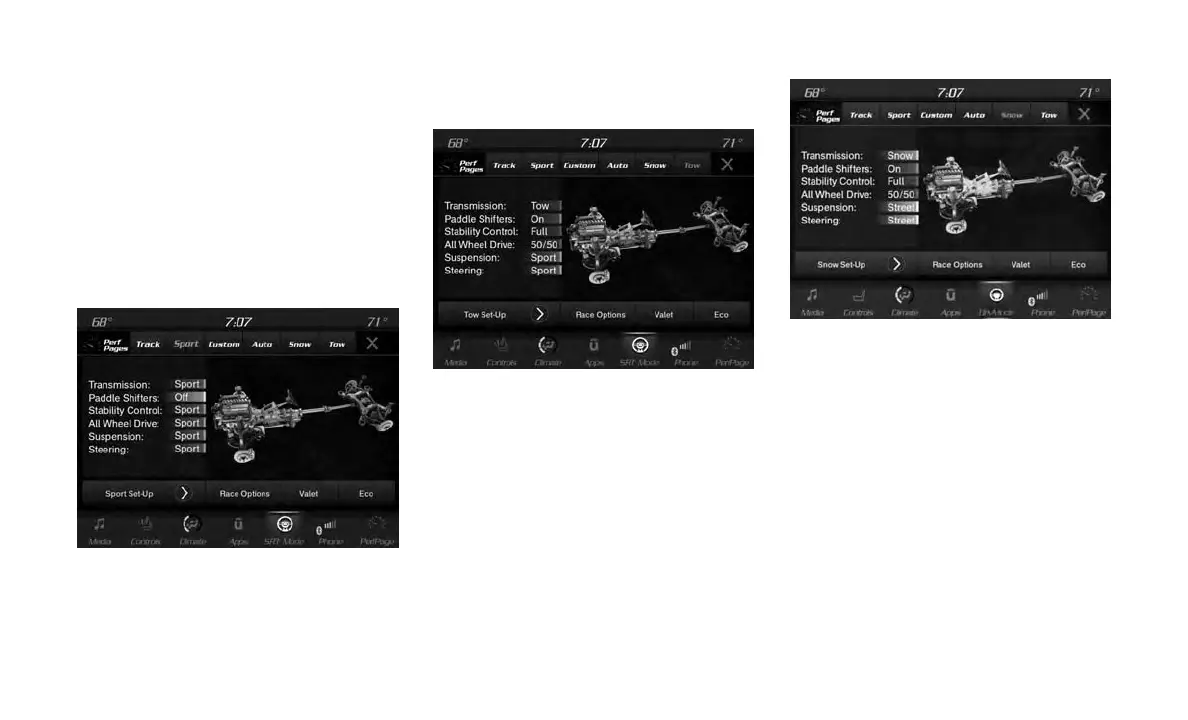
Sport Mode
Selecting “Sport” within the head unit activates
the configuration for typical enthusiast driving.
The Transmission, Stability Control, All-Wheel
Drive, Steering, and Suspension systems are all
set to their “Sport” settings highlighted in or-
ange. The Paddle Shifters are enabled.
Tow Mode
Selecting “Tow” within the head unit will activate
the configuration for towing a trailer. Once in this
mode, trailer sway control is enabled in the ESC
system. The Transmission is set to “Tow” setting
highlighted in purple. Stability Control is set to
“Full” highlighted in blue. All-Wheel Drive is set
to “50/50” highlighted in blue. Steering is set to
“Street” highlighted in yellow. Suspension is set
to “Sport” highlighted in orange.
Snow Mode
Selecting “Snow” within the head unit will acti-
vate snow mode for use on loose traction sur-
faces. When in Snow mode (depending on
certain operating conditions), the transmission
may use second gear (rather than first gear)
during launches, to minimize wheel slippage.
The Transmission is set to “Snow” setting high-
lighted in blue. Stability Control is set to “Full”
highlighted in blue. All-Wheel Drive is set to
“50/50” highlighted in blue. Steering is set to
“Street” highlighted in yellow. Suspension is set
to “Street” highlighted in yellow.
Paddle shifters can be enabled or disabled by
pressing the “Snow Set-up” button on the touch-
screen.
Drive Modes (Sport)
Drive Modes (Tow)
Drive Mode (Snow)
285















 To Next Page