NOTE: The VES™ system will retain the last setting
when turned off.
Play Video Games
Connect the video game console to the Auxiliary RCA
input jacks located on the back of the center console.
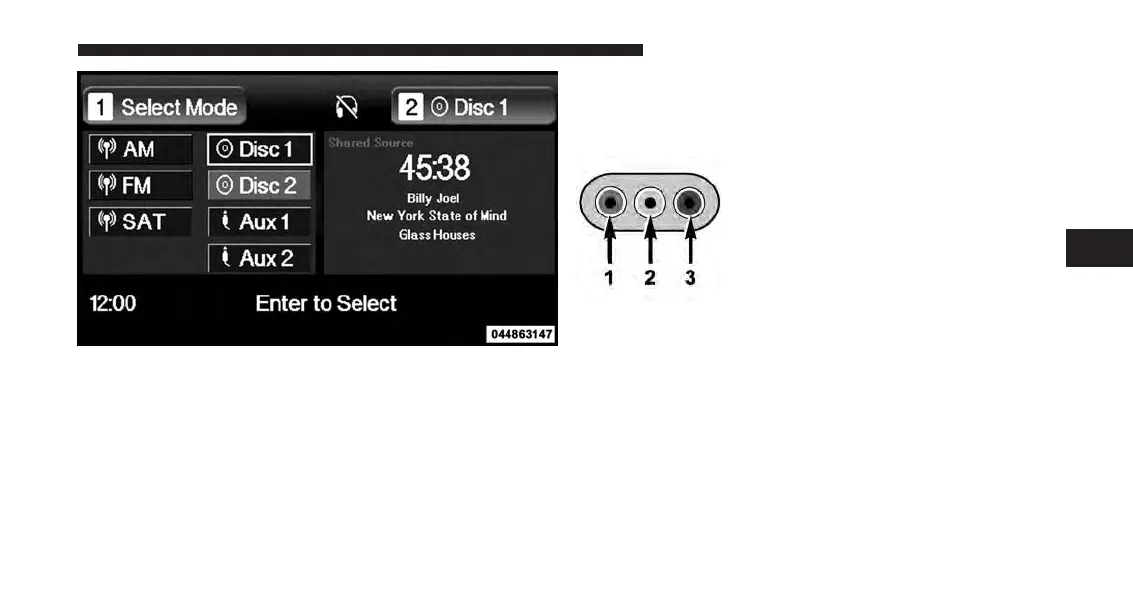
Audio/Video RCA Jacks (AUX Jacks)
on the rear of the center console enable
the monitor to display video directly
from a video camera, connect video
games for display on the screen, or
play music directly from an MP3
player.
1. Video in (yellow)
2. Left audio in (white)
3. Right audio in (red)
Select DISC Mode On The VES Screen
4
UNDERSTANDING YOUR INSTRUMENT PANEL 339















 To Next Page