Bluetooth
®
Streaming Audio (Media Center 430/430N/230/130 only)
If equipped with Uconnect™ Voice Command, your bluetooth-equipped iPod
®
devices,
cellphones or other media players, may also be able to stream music to your vehicle's
speakers. Your connected device must be bluetooth-compatible, and paired with your
Media Center radio (see Uconnect™ Phone for pairing instructions). Press the AUX
button on the radio faceplate until "BT" is displayed on the radio screen.
WARNING!
Do not plug in or remove the iPod
®
or external device while driving. Failure to
follow this warning could result in a collision.
ELECTRONIC VEHICLE INFORMA TION CENTER
(EVIC)
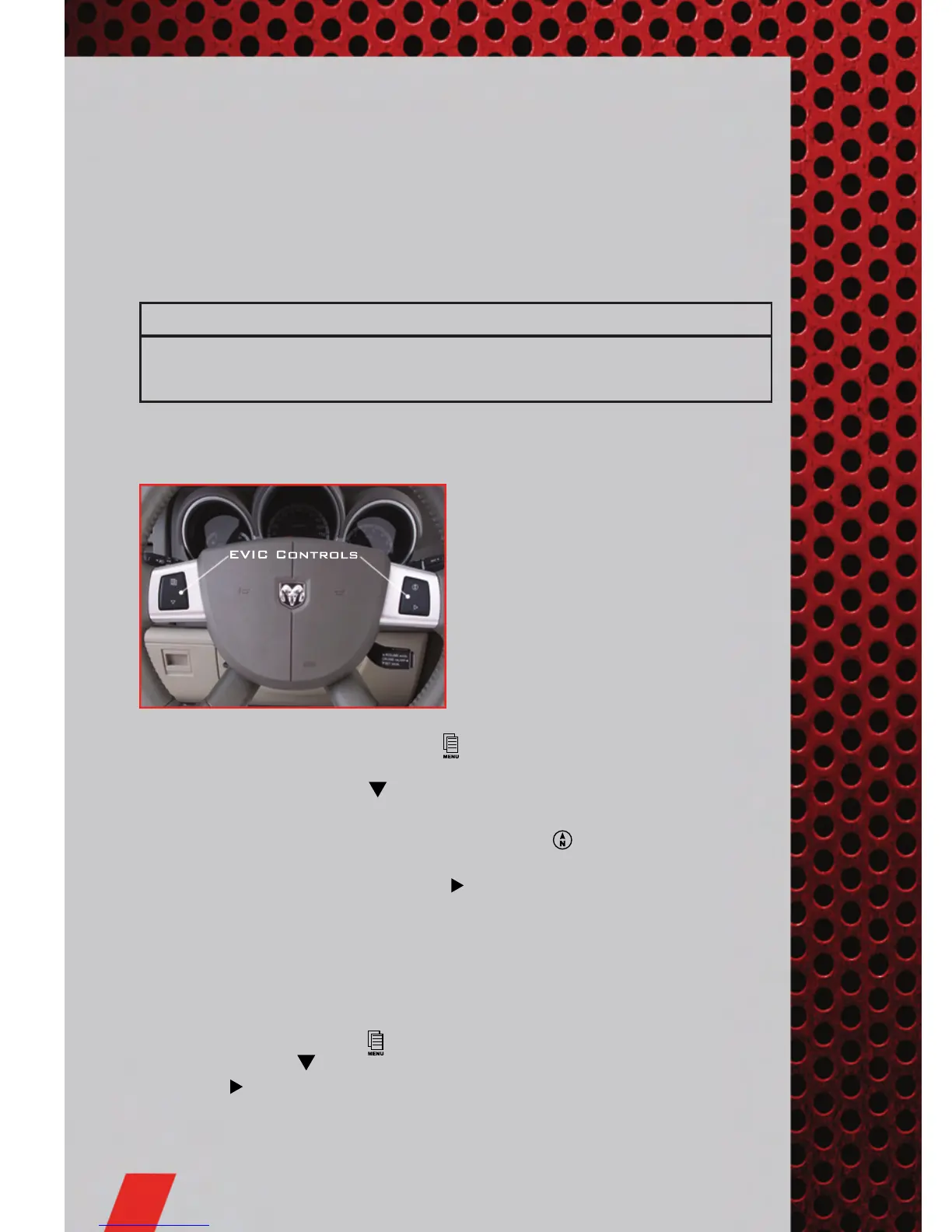
• The EVIC features a driver interactive
display that is located in the
instrument cluster. Pressing the
controls on the steering wheel allows
the driver to select vehicle information
and Personal Settings. For additional
information, refer to Programmable
Features in this guide.
• Press and release the MENU button
and the mode displayed will change
between Compass/Temperature, Trip, System Status, and Personal settings.
• Press the SCROLL button
to scroll through sub menus (i.e., Trip Functions,
Avg. Fuel Economy, DTE, Elapsed Time, and Units).
• Press and release the Compass/Temperature button
for instant access to the
Compass/Temperature screens.
• Press the FUNCTION SELECT button
to RESET Trip Functions and change
Personal Settings.
PROGR AMMABLE FEATURES
Electronic Vehicle Information Center (EVIC) – If Equipped
• The EVIC can be used to program the following Personal Settings. Press and
release the MENU button
until Personal Settings displays, then press the
SCROLL button
to scroll through the settings. Press the FUNCTION SELECT
button
to change the setting.
• Language • Flash Lamp Lock
• Auto Door Locks • Headlamp Off Delay
ELECTRONICS
40














 To Next Page