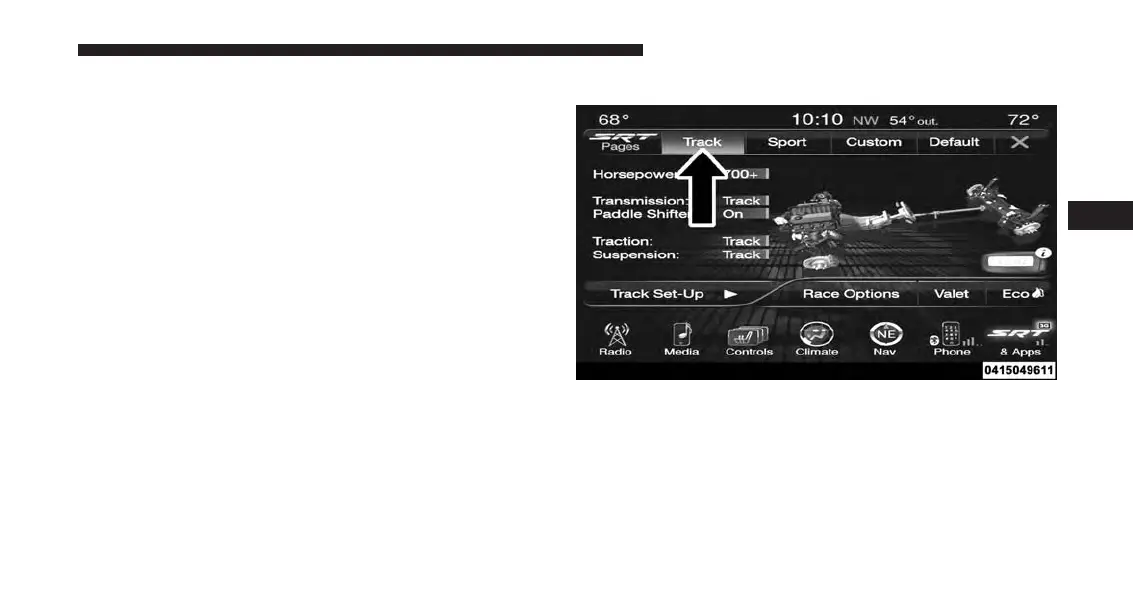
color red indicates “Track,” orange “Sport,” and yellow
“Street.” If the system status shown does not match the
current drive mode set up, a message will be displayed
indicating which values are not matching the current
mode and why.
NOTE: ESC Full-Off can be activated across all of the
Drive Mode features by pushing and holding the ESC Off
button on the instrument panel switch bank for five
seconds.
Listed below are the available Drive Modes:
Track Mode
Pressing the “Track” button on the touchscreen will
activate the configuration for typical track driving. The
Transmission, Traction, Steering, and Suspension systems
are all set to their “Track” settings highlighted in red. The
Paddle Shifters are enabled.
Drive Modes (Track)
4
UNDERSTANDING YOUR INSTRUMENT PANEL 317












 To Next Page