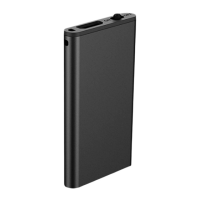
Q63 Instructions Manual
CHARGING THE RECORDER
Connect the included USB data cable to connect the voice recorder to the computer or power
adapter for charging. Please use a power adapter with a charging current of 1A or less for
charging, otherwise, it may damage the unit or cause danger. When the recorder is charging,
the recorder flashes a red light. When it is full, the light will turn blue.
CONNECTING THE Q63 RECORDER TO YOUR COMPUTER
The Dododuck Q63 recorder acts as a USB drive, in order to easily access the recordings from
your computer.
1. Turn off the recorder and connect it to your computer using the included data cable.
2. Click on the “RECORD” folder to access your recording files. It should be empty when
you access it for the first time.
SETTING UP THE CURRENT DATE/TIME ON THE RECORDER
In order to synchronize the date and time with your current time zone, please follow these steps:
1. Turn off the recorder and connect it to your computer using the included data cable.
2. Click on the “Time Synchronization Tool” folder and execute “time.exe” from a Windows
machine.
3. This program will synchronize the time from your computer with the time on the recorder
so that the recording files will have the correct date and time.
RECORDING MODES
First, unplug the cable from the recorder.
Normal recording: Move the switch to the power-on position to start normal recording. The light
will turn red and blink 4 times.
Voice-activated recording: Move the switch to the voice-activated recording position in order to
start voice-activated recording. The light will turn blue and blink 4 times.
Saving the recordings: Move the switch to the power-off position. The recorder will save the files
and power off.
NOTE: During the recording process, do not connect to the computer, otherwise the recording
files may become corrupted.
Check the recording status: While recording, long-press + and hold it. A red light will flash once
to indicate that normal recording is on, and a blue light will flash once while recording in
voice-activated mode.

 Need help?
 General

 To Next Page