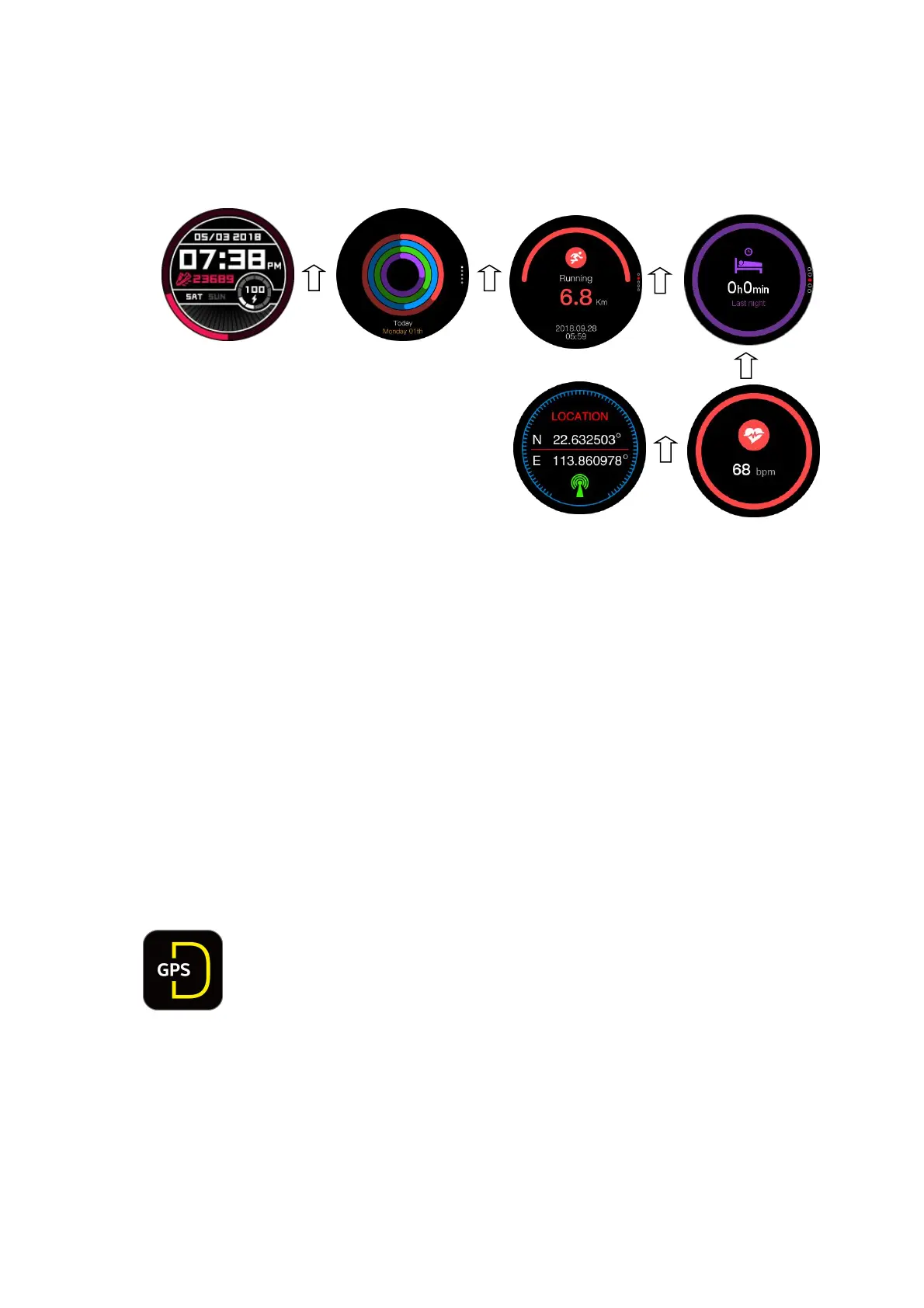
● Get into the daily exercise statistics page, single exercise page, sleep monitor
page, heart rate testing page, elevation and air pressure page and GPS page by
sliding up.
Note: You can get to the next page by sliding screen up, and return to last page by
sliding screen down. You can also use the rotary to switch between menu options.
3.Product set-up
Pairing models
System requirement :
Android 4.4 and above
IOS 8.0 and above (iPhone5 and above)
1). Bluetooth connection(APP: DoFit 2 GPS)
Search for the DoFit 2 GPS App (see icon below) in Google Play or the Apple Store.
Download and install it the App on your phone.
Ensure that your Smartphone Bluetooth is turned on.
Open the app.
After filling in your personal data, follow the instructions below (Android or iPhone):
Connect with Android phone
● Open the App and select Device Settings to search for Bluetooth
devices nearby.
● Find your watch model (Delta2) and select to bind the watch to your
Device.
●
Select pair when once you receive a pairing request (see diagram below).


 To Next Page