7.10 Display:
Set screen brightness and backlight off time .
7.11 Watch info:
7.11.1 See device name which will be reflected in your Smartphone’s
Bluetooth settings.
7.11.2 Indicates the current software version you are using (you will be
prompted to update when latest version is available).
7.11.3 Personalize your name display: e.g. last name first.
7.13 Power Display:
Displays the current battery power percentage remaining.
7.14 Restore factory Setting:
Restore to factory default settings
(Note: that this will erase all data from your Smartphone watch).
7.12 Languages:
7.12.1 Select auto sync on to reflect the language being used on your
Smartphone.
7.12.2 Turn auto sync off to manually select your language.
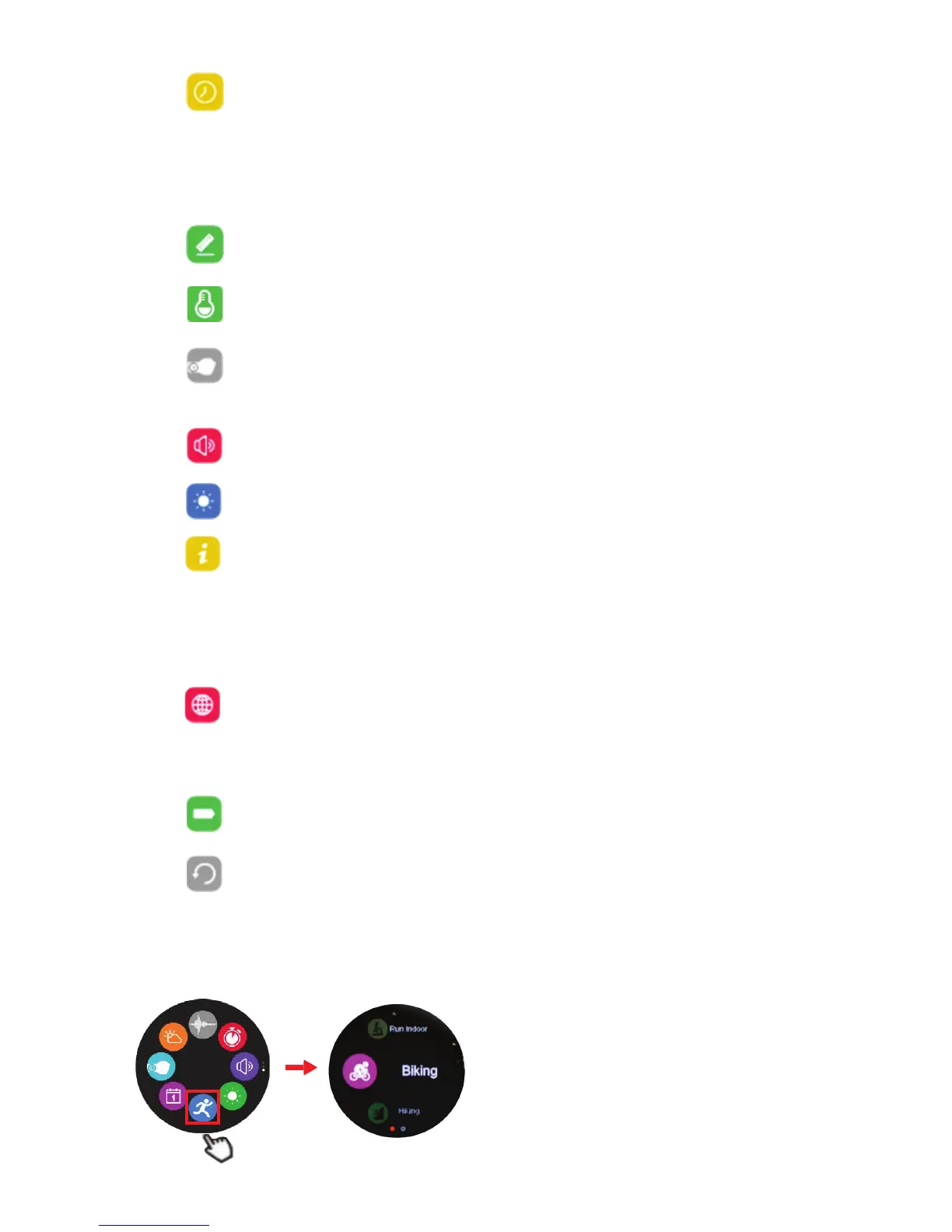
8. Sports mode functions
7.9 Sound:
Select ringtone, sound volume and notification type/ volume.
7.7 Temperature:
Select Celsius or Fahrenheit.
7.5 Time and date:
7.5.1 Select clock face by tapping Clock type (see 1.3.3)
7.5.2 By turning on time sync your Smartwatch will reflect the same
time as your Smartphone.
7.5.3 If time sync off, set time manually: the Smartphone will no longer
adjust time on Smartwatch.
7.6 Units:
Select imperial or metric mode.
7.8 Active on wrist: (Gesture control)
When turned on, the display will awaken when lifting Smartwatch or
turning the wrist.


 To Next Page
 Loading...