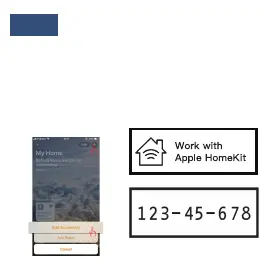
Step5:
Please open Home APP, click “Add
accessory”. And then, Please put the code
(i.e., 123-45-678) of Figure 6 into the
frame. Click the device, “Add anyway”.
After waiting for the encryption check
(about 50s), you have added the switch
successfully.
( Fig. 6)


 To Next Page