MF6W Using the refrigerator
9
6.3 Using the refrigerator
A
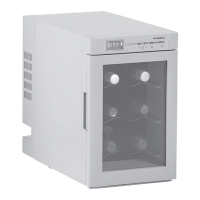
➤ Switch the refrigerator on by pressing the “POWER” button (fig. 2 1, page 7).
✓ The display switches on and shows the current cooling temperature.
➤ Switch the refrigerator off by pressing the “POWER” button (fig. 2 1, page 7).
✓ The display switches off.
➤ If you wish to turn the interior light on or off, press the “LIGHT” button
(fig. 2 2, page 7).
Setting the temperature
You can set the temperature within a range from +5°C (40°F) to +20°C (68°F).
I
➤ Press the “TEMP –” (fig. 2 3, page 7) button to decrease the desired cooling
temperature by 1 °C (2 °F), or press the “TEMP ” (fig. 2 4, page 7) button to
increase the desired cooling temperature by 1 °C (2 °F).
✓ The cooling temperature set at °C or F° then appears in the display for a few
seconds.
NOTICE!
Food may only be stored in its original packaging or in suitable
containers.
NOTE
The cooling capacity can be influenced by:
– The ambient temperature
– The number of bottles to be cooled
– The frequency with which the door is opened
MF6W-O-AU.book Seite 9 Freitag, 14. Oktober 2016 6:18 18



 To Next Page