
 Need help?
Do you have a question about the Dometic OPTIMUS 360 and is the answer not in the manual?
Explains warning symbols used throughout the publication.
Provides essential safety guidelines for operating the system.
Lists critical safety instructions for installing the system.
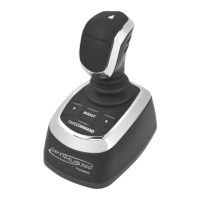
Describes the Optimus 360 Joystick Control System and its components.
Provides key installation advice and contact information for technical support.
Outlines the installation process and references related manuals.
Provides a template for mounting the joystick.
Provides a template for mounting the control head.
Details the procedure for using the Datalink software for system setup.
Covers the basic system configuration using the CANtrak display.
Describes the different types of joysticks available for installation.
Guides through the initial system setup using the CANtrak display.
Details how to connect Evinrude engines to the Optimus 360 system.
Explains the installation process for the EST gateway for Suzuki engines.
Details the network connections between Suzuki EST gateway and Optimus 360.
Guides through calibrating the Suzuki SPC system.
Covers installation for Yamaha DEC systems.
Covers installation for Yamaha EX systems.
Guides through the setup process for the Yamaha EST gateway.
Details connecting the Mercury DTS remote control.
Explains how to install the EST gateway for Mercury DTS.
Guides through the setup process for Mercury DTS EST gateway.
Details connecting the Honda IST remote control.
Explains how to connect the ignition line for Honda IST.
Explains how to install the EST gateway for Honda IST.
Guides through the setup process for Honda IST EST gateway.
Details the installation of the Yanmar control head.
Explains the CAN2 network connection for Yanmar.
Guides through the setup of the Yanmar control head.
Details network connection for OXE EST engines.
Outlines the terms of the limited warranty for products.
Provides instructions for returning products for warranty service.
Lists contact information for technical assistance.
Directs users to find authorized service locations.
Provides general guidelines and tips for the joystick tuning process.
Lists prerequisites and checks before beginning joystick tuning.
Guides on importing engine-specific configuration settings.
Details how to set the maximum throttle limits for engines.
Guides on running engine response wizards for throttle calibration.
Explains how to adjust rudder angles for straight-line control.
Details tuning power ratios for precise boat rotation.
Adjusts rudder angles for sideways movement without rotation.
Balances engine power for straight sideways movement.
Fine-tunes power levels for boat response in different directions.
Guides through a basic sea trial to confirm joystick performance.
Details saving the joystick tuning file for backup and setup.
Explains configuration of secondary helm and CANtrak display.
Details secondary control head configuration for Yanmar systems.
Guides on configuring the secondary joystick for proper operation.
Explains importing tuning files for a second joystick.
Guides on using tuning files as templates for identical vessels.
Details the process for replacing a joystick.
Covers updating joystick firmware.
Provides the fundamental steps for importing tuning files.
Details system configuration for the Yamaha EST gateway.
Guides through the Lever Position Sensor (LPS) calibration process.
 General
| Brand | Dometic |
|---|---|
| Model | OPTIMUS 360 |
| Category | Video Game Controller |
| Language | English |

 To Next Page