6
SECTION 1
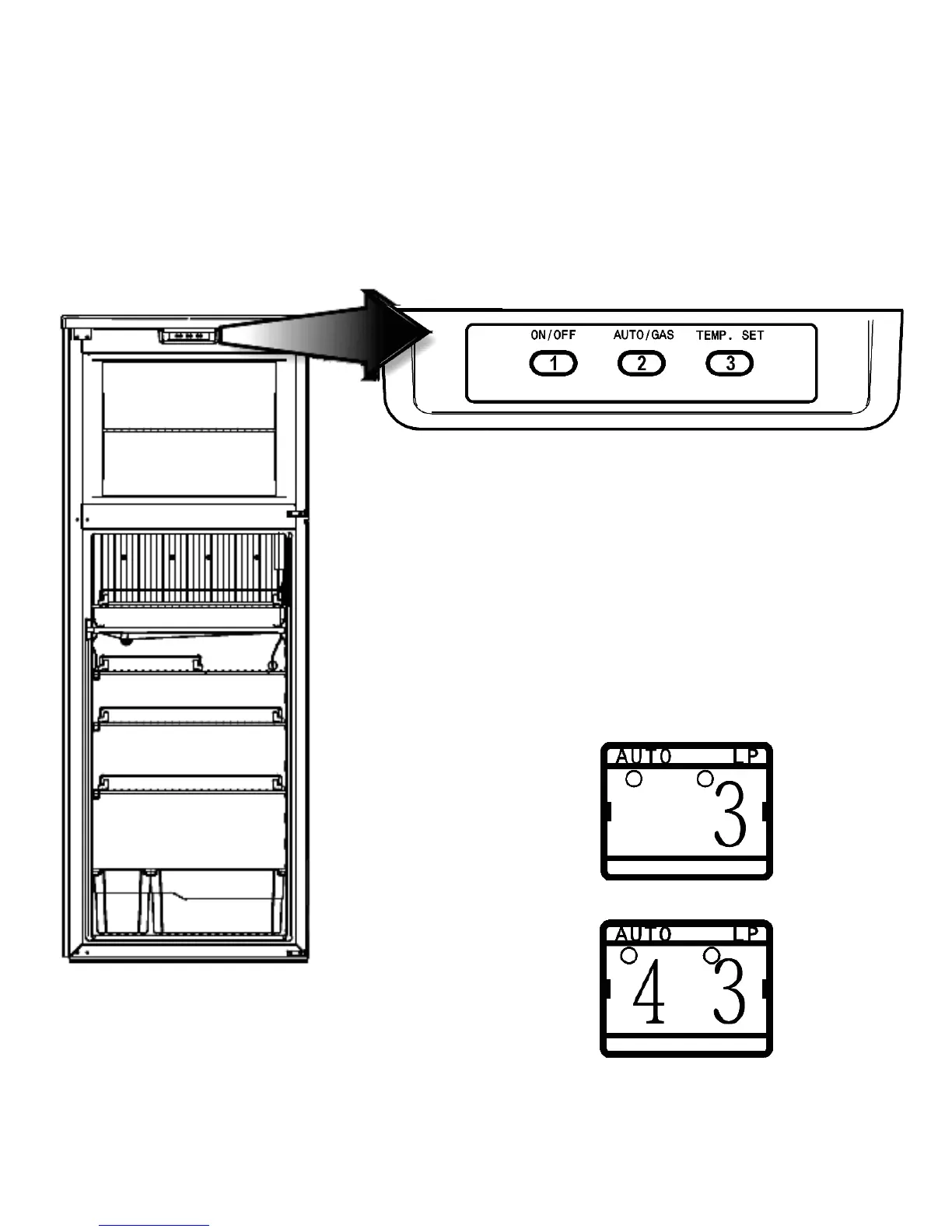
DISPLAY PANEL RM3762 , RM3962
Refrigerator Control Panel
1. Main Power Button ON/OFF
Press the button to turn the refrigerator on or off.
Refrigerator Operation
2. AUTO/GAS Mode Selector Button
Press the button to turn the auto mode on or off.
3. TEMP. SET Button
The thermostat has 5 settings where 1 indicates the
warmest and 5 the coldest temperature setting . Press
the button repeated until the desired setting, e.g. 3, is
shown in LED display. This value is shown for about 5
seconds and then the temperature is displayed again,
e.g. 43.


 To Next Page