58
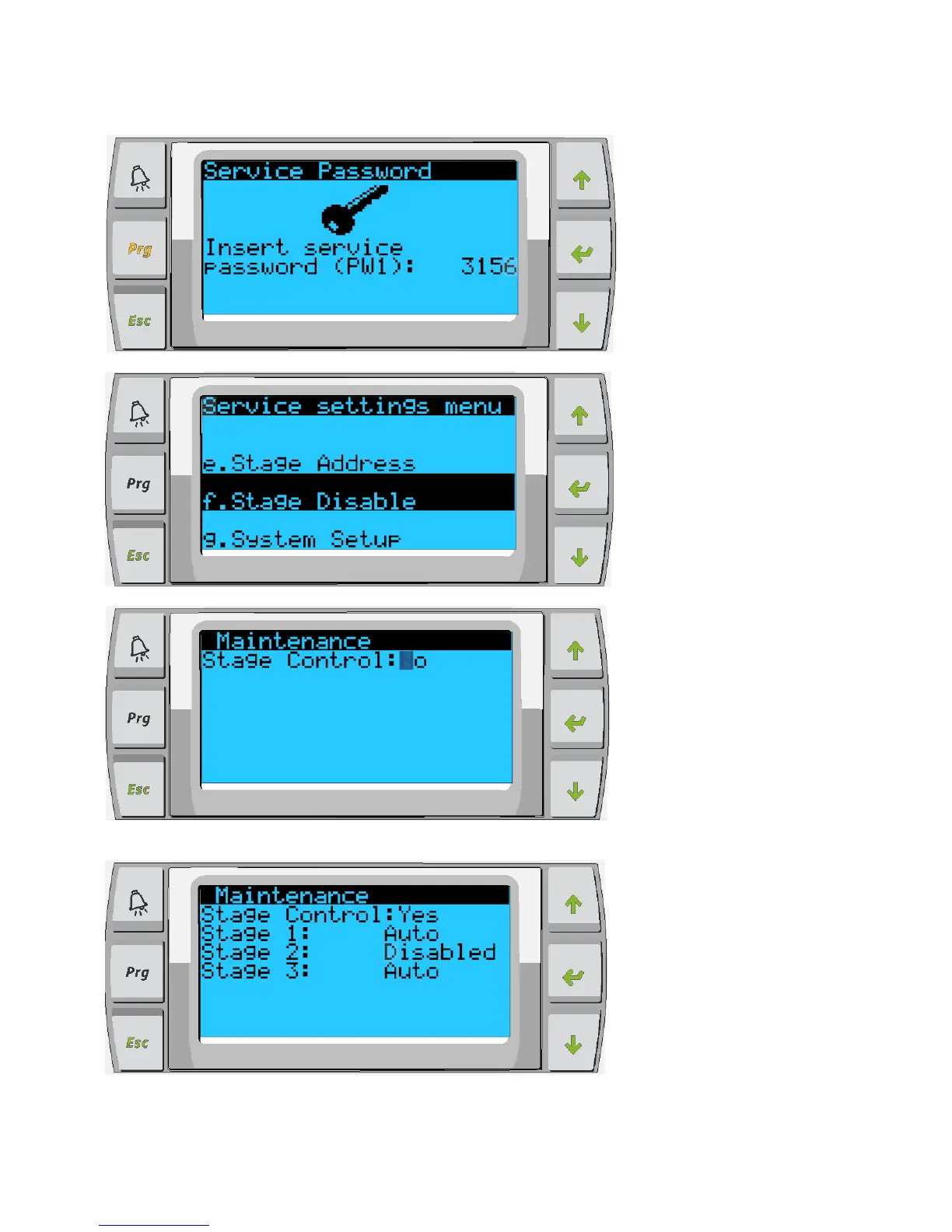
4. Enter the service password to continue: 3156.
5. Scroll to Stage Disable, press enter.
6. For Stage Control change No to Yes, press enter, scroll up and press enter.
7. The different stages will display on the screen press enter to access each stage and scroll
up/down to change from Auto to Disabled.



 To Next Page