EasyManua.ls Logo

Dominator GDO-7v2 - User Manual

Dominator GDO-7v2
32 pages
Print Icon
To Next Page IconTo Next Page
Loading...
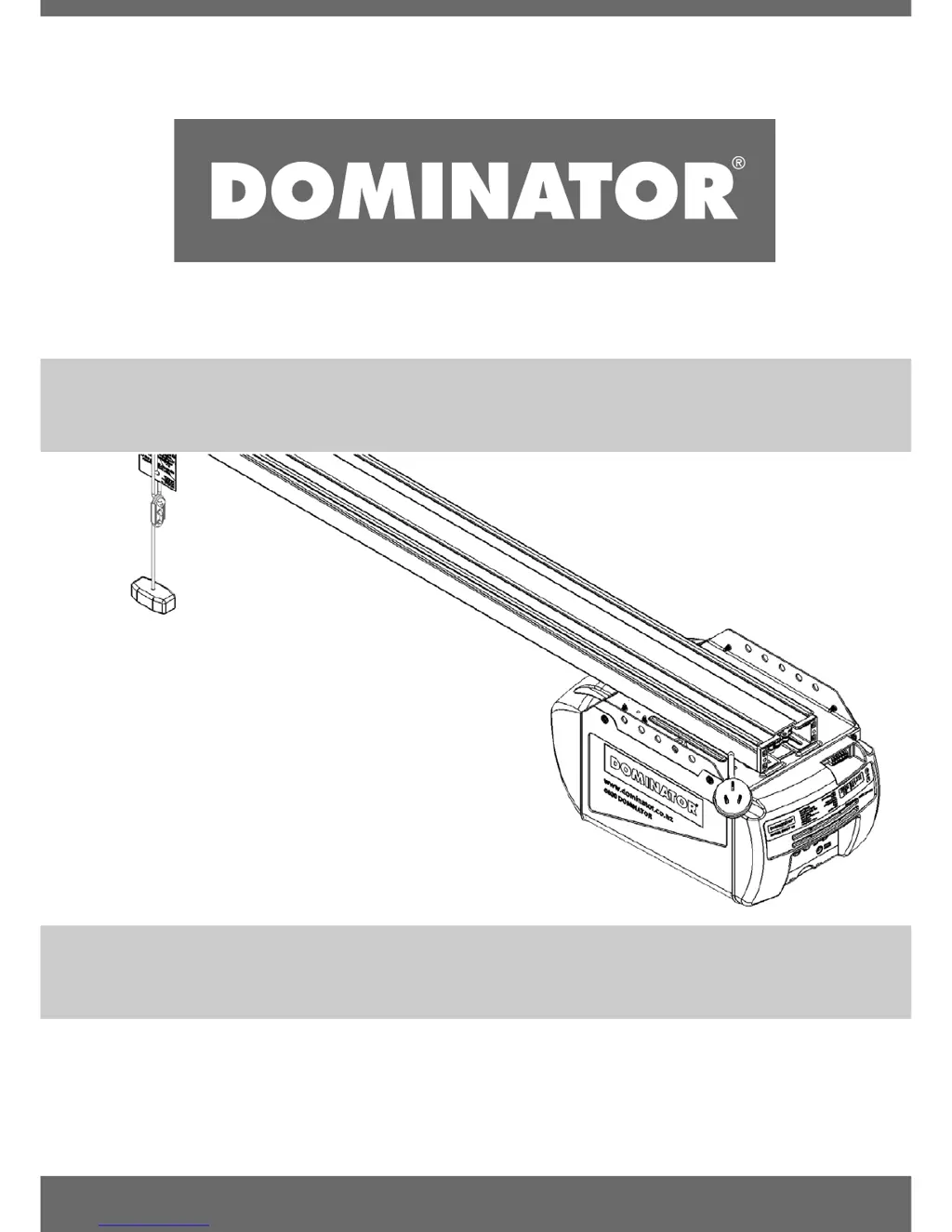
GDO-7v2
INSTALLATION INSTRUCTIONS | OWNERS COPY
Overhead Garage Door Opener

Questions and Answers

Summary

Important Safety Instructions

General Safety Warnings

Vital instructions to prevent serious personal injury and property damage.

Operational Safety Rules

Guidelines for safe operation, child supervision, and keeping clear of moving parts.

Specific Safety Requirements

Notes on PE beams, obstruction force testing, and user restrictions.

Product Features

Operation and Controls Overview

Basic operation of opening, closing, and stopping the door.

TrioCode Technology

High-security code hopping multi-frequency technology for enhanced security.

S-ALPS Positioning System

Semi-automatic limits positioning system programmed via transmitter.

Safety Systems Explained

Details on anti-travel brakes and intelligent safety obstruction system (ISS).

Overload Indicator Function

Indicates motor overload via flashing LEDs.

Operating Controls

PROG Input and Terminal Block

Connects programmer and accessories like PE beams, switches, and AUX outputs.

Setup and Operate Buttons

Buttons for setting limits, testing operation, and inching the door.

Limit and Force Setting Controls

Controls for setting open/close limits and adjusting obstruction force margin.

Coding and Status Indicators

Buttons and LEDs for coding transmitters, door status, and light control.

Auto-Close and Datum Adjustment Controls

Controls for setting auto-close delay and adjusting datum position.

Package Contents

Drive Unit Components

Lists the main components included with the GDO-7v2 drive unit.

C-Rail Kit Components

Details the components included in the separately packaged C-Rail kit.

C-Rail Assembly

Step 1: Connect Powerhead to C-Rail

Attaching the powerhead's shaft to the C-Rail's sprocket.

Step 2: Secure the C-Rail

Fixing the C-Rail assembly using track brackets and screws.

Determine the Door Type

Sectional Door Identification

Identifying a sectional (panel) door that runs on tracks.

One-Piece Door Identification

Identifying one-piece doors, either with tracks or operating on springs.

Mounting on a Track Type Door

Step 4: Determine Bracket Position

Locating and marking the wall bracket position based on door travel.

Step 5: Mounting the Wall Bracket

Centering, marking, drilling, and securing the wall bracket.

Step 6: Attach Rail to Wall Bracket

Connecting the C-Rail assembly to the wall bracket using clevis and snap pins.

Step 7: Secure Powerhead to Ceiling

Raising and securing the powerhead to the ceiling using perforated angles.

Mounting on a Non-Track Type Door

Step 8: Determine Door Centre

Finding and marking the door's center line for bracket placement.

Step 9: Prepositioning the Opener

Positioning the opener on the door edge and supporting the powerhead.

Step 10: Mounting the C-Rail

Attaching the C-Rail and determining wall bracket height.

Step 11: Secure Powerhead to Ceiling

Securing the powerhead to the ceiling using perforated angles and hardware.

Mounting Door Bracket & Arms

Step 12: Mounting Door Bracket

Attaching the door bracket to the top panel of the door.

Step 13: Attaching the Arms

Assembling and connecting door arms for sectional and one-piece doors.

Setting Limits

Step 14: Remove Controls Cover

Removing the cover to access the control panel for setup.

Step 15.1: Connect Power to Powerhead

Plugging in the power cord and turning on the opener.

Step 15.2: Set Datum Position

Setting the datum position using the DATUM ADJUST screw and STATUS LED.

Step 15.3: Set Limits Positions

Programming close and open limit positions using MINUS/PLUS and LIMIT SET buttons.

Step 15.4: Reset Door Limit Positions

Deleteting existing limit positions by holding the MINUS button.

Setting Limits: via Transmitter

Step 16.1: Power Up and Set Datum

Following initial setup steps before using the transmitter for limit setting.

Step 16.2: Code Transmitter for Limit Setting

Programming a transmitter button to control limit setting functions.

Step 16.3: Setting Limits via Transmitter

Using transmitter buttons to inch and set the door's close and open limit positions.

Step 16.4: Reset Door Limit Positions

Deleting saved limit positions and re-coding the transmitter.

Safety Obstruction Force Test

Step 17.1: Testing Close Cycle

Testing the door's auto-reverse function when encountering an obstacle during closing.

Step 17.2: Testing Open Cycle

Testing the door's stop function when encountering resistance during opening.

Adjusting Safety Obstruction Forces

Step 18.1: Increase Force Pressure

Increasing the obstruction force margin using FORCE MARGIN SET and PLUS buttons.

Step 18.2: Decrease Force Pressure

Decreasing the obstruction force margin using FORCE MARGIN SET and MINUS buttons.

Step 18.3: Recall Factory Set Force

Resetting the obstruction force to factory default settings.

Coding Transmitters

Step 19.1: Code for Door Operation

Programming a transmitter button to open, stop, or close the door.

Step 19.2: Code for Courtesy Light

Programming a transmitter button to control the courtesy light.

Step 19.3: Code for Pet Mode

Programming a transmitter button for partial door opening for pets or pedestrians.

Step 19.4: Code for Vacation Mode

Enabling a mode where only one specific transmitter works.

Step 19.5: Code for AUX Output

Programming a transmitter button to activate an auxiliary output.

Coding Transmitters

Step 20: Remote Transmitter Coding

Coding transmitters without direct access to the opener panel using a pre-coded transmitter.

Step 21.1: Delete Stored Transmitter Code

Removing a specific transmitter's code from the opener's memory.

Step 21.2: Delete All Transmitter Codes

Erasing all stored transmitter codes from the opener.

P.E. Beams & Auto-close

Step 22: Fitting the P.E. Beams

Installing Photo Electric beams in the doorway for safety and auto-close functions.

Step 23: Setting Up Auto-close Mode

Configuring the automatic door closing function after a set delay.

Step 22.1: Setting Auto-close Time

Adjusting the delay time for the auto-close function.

Final Set Up

Step 24: Setting Courtesy Light Time

Adjusting the duration the courtesy light remains on.

Step 25: Setting Pet Mode Position

Programming a specific partial opening height for pets or pedestrians.

Step 26: Installing Wall Mounted Transmitter

Mounting the optional wall-mounted transmitter for convenient access.

Step 27: Re-initialising the Opener

Resetting and recalibrating the opener's force margins and limits.

Parameters

Door Status Indicators

Table explaining LED and beeper states for different door opener conditions.

Parameters

Button Functions Reference

Table detailing the function of each button on the control panel and transmitters.

Default Settings & Specifications

Factory Default Settings

Default values for motor run time, light time, force margin, and auto-close time.

Technical Specifications

Details on power supply, motor, shuttle travel, door forces, and receiver type.

Troubleshooting

Common Door Operation Issues

Solutions for door not operating, reversing, or not closing/opening fully.

Transmitter and Indicator Problems

Troubleshooting for transmitter issues, courtesy light, and globe problems.

Auto-close and Interference Issues

Resolving problems with auto-close, PE beams, and radio interference.

Maintenance

Routine Maintenance Schedule

Recommended monthly checks and yearly service by an installer.

Warranty Expiration Indicator

How to identify and acknowledge when the opener's warranty has expired.

Service Record Log

A table for recording maintenance activities for warranty purposes.

Spare Parts

Spare Parts Diagram

An exploded view illustrating the location of various opener components.

Spare Parts List

A detailed list of available spare parts with item numbers and part numbers.

Warranty and Exclusion of Liability

Warranty Terms and Conditions

Details on warranty period, coverage, and purchaser obligations.

Exclusions and Limitations of Liability

Specifies conditions and circumstances not covered by the warranty.

Dominator GDO-7v2 Specifications

General IconGeneral
BrandDominator
ModelGDO-7v2
CategoryGarage Door Opener
LanguageEnglish