23
DO8148
www.domo-elektro.be
EN
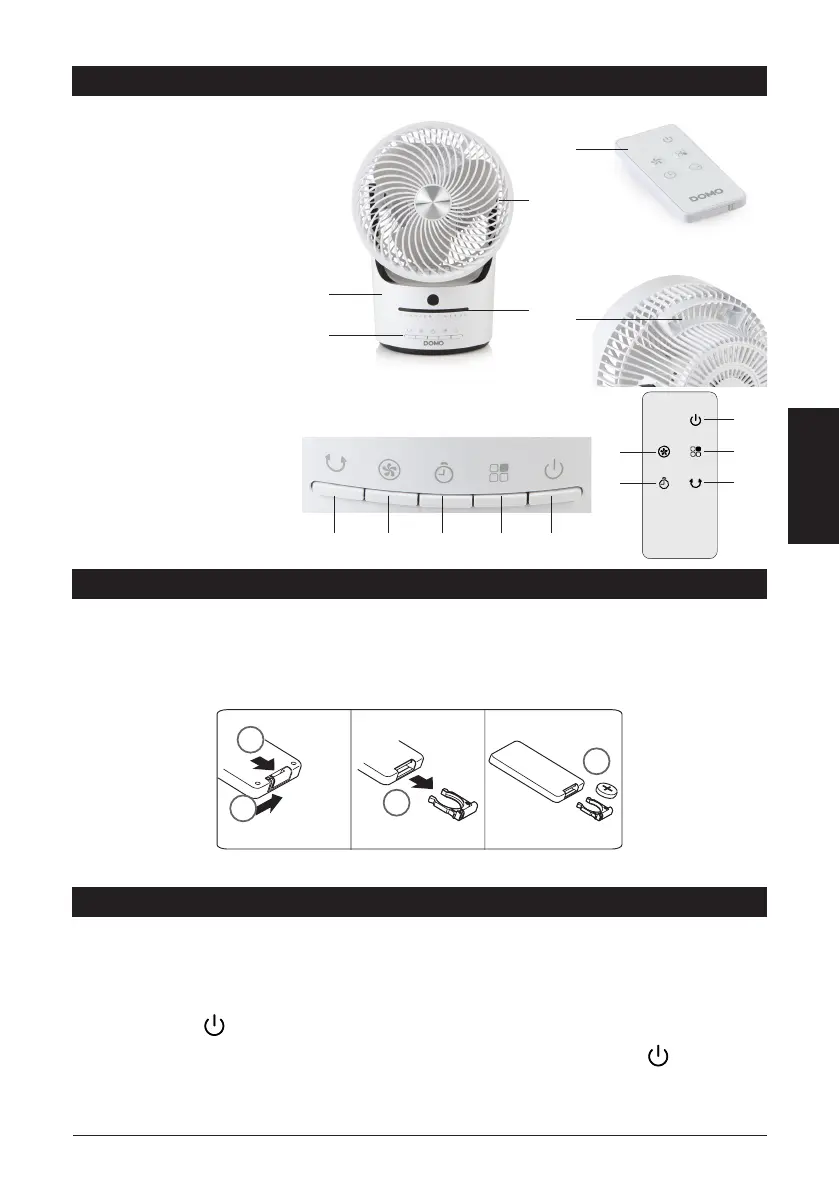
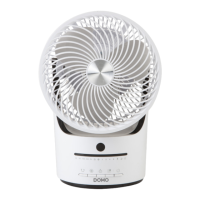
PARTS
1. Base
2. Control panel
3. Indicator lights
4. Grill with fan blades
5. Remote control
6. Handle/holder for remote
control
CONTROL PANEL/REMOTE
CONTROL
7. Oscillation button
8. Knob for setting speed
9. Timer
10. Mode knob
11. On/O button
BEFORE THE FIRST USE
· Carefully remove the device from the packaging. Remove any promotional stickers.
· Clean the outside of the device with a soft damp cloth.
· Before using the appliance with the remote control, a coin cell battery (CR2032) must be placed in the
remote control. This is provided. Follow the instructions below.
1
2
3
4
· The remote control has a range of 5 metres.
USE
Plug the power cord into a socket. A beep indicates that the device is in standby mode. You can control the
fan from the control panel or with the remote control. Each time a button is pressed, the device emits an
audible signal and an indicator light lights up to indicate that the desired setting has been implemented.
ON/OFF BUTTON
Press this button to turn the device on or o. The corresponding indicator light lights up . The fan
starts working at the lowest speed or at the last set speed. This can be seen from the indicator light that
illuminates.
1
2
3
4
5
6
7
7
8
8
9
10
11
9 10 11


 To Next Page