Record Data Stream
Record data stream function is mainly used for:
A. Recording and saving the data under
normal driving status as the standard
value for reference;
B. Snapping and recording pending
trouble codes for analysis.
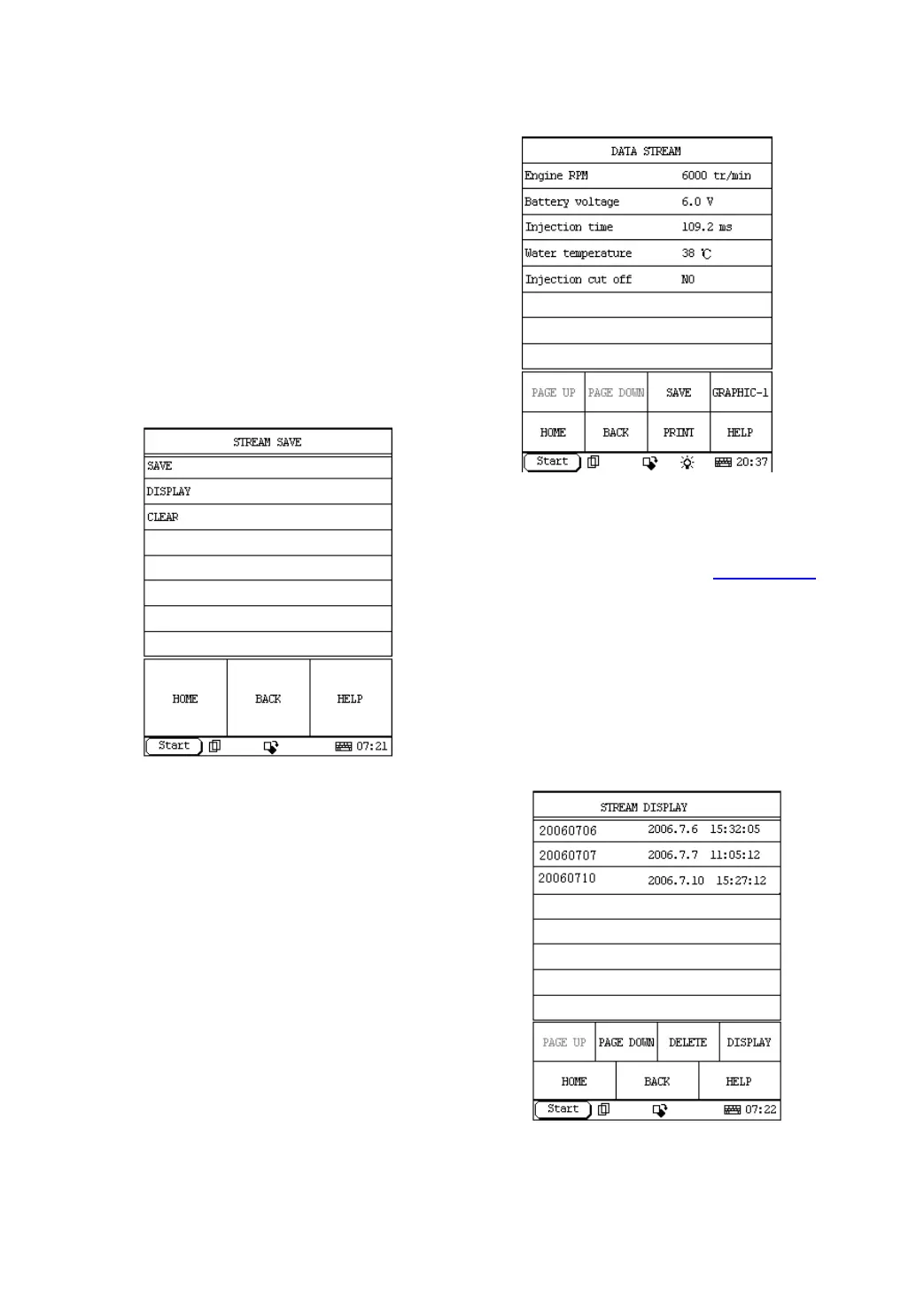
If you want to record the selected data stream,
please click [SAVE] in Figure 2-19. The screen
will display the menu as shown in Figure 2-21.
Figure 2-21
Note: the SAVE in Figure 2-19 is actually
the menu. Only enter this menu, can you
save, display and clear data
.
Click [SAVE] to enter the interface as shown in
Figure 2-22. Now it starts to record data stream.
Click [STOP] to terminate the record. And the
recorded data stream will be saved into the save
folder in the CF card.
The data in the CF card can be uploaded to PC
or service department of Launch and the
recorded data stream can be analyzed.
Figure 2-22
Note: the name of the file can be
automatically generated.
Download DEMO program from
www.x431.com
to your DFPV DIAG., power DFPV DIAG. through
DC, and start the DEMO program to enter the
interface as shown in the Figure 2-21.
Click DISPLAY and the screen will display the
recorded file as shown in Figure 2-23. The name
of file is composed of software name, record date
and record time.
Figure 2-23


 To Next Page
 Loading...