Read DateStream
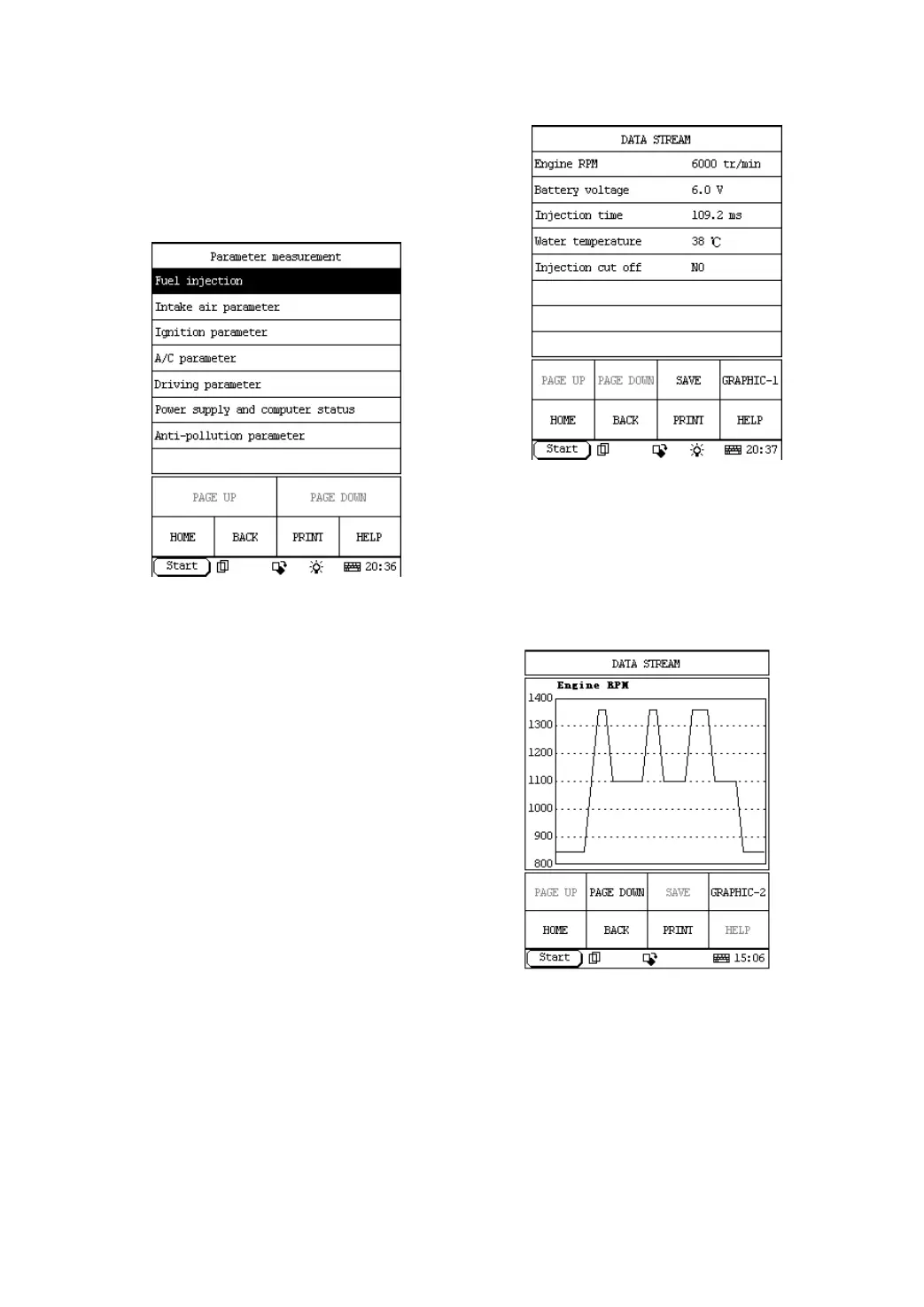
Click [Parameter measurement] in the function
menu. The screen will display the information
as shown in Figure 2-18.
Figure 2-18
Click the corresponding data stream items.
Button descriptions:
♦ [PAGE DOWN]: to display the next
page.
♦ [HOME]: to return to the homepage of
vehicle diagnosis.
♦ [BACK]: to return to the previous
interface.
♦ [HELP]: to display the help information.
Click [Fuel injection] in the function menu. The
screen will display the information as shown in
Figure 2-19.
Figure 2-19
Click [GRAPHIC-1] in Figure 2-19, the screen will
display the wave form of the first data item. Click
[PAGE DOWN], it will display wave form of next
data item. See Figure 2-20.
Figure 2-20
Click [GRAPHIC-2] to display the waveforms
of 2 data stream items. It is convenient for
users to make live comparison between two
correlative data stream items.
Note:
♦ The two display modes -- [GRAPHIC-1]
and [GRAPHIC-2] can be switched.


 To Next Page
 Loading...