accurately, and wait until it changes. Then
one step of calibration is finished.
3) After calibration is finished for all corners,
the system will automatically return to the
start-up main interface.
Note:
♦ Do not click the touch screen before the
cross cursor appears.
♦ In the calibration step, if you fail to click
the cross cursor accurately, the cross
cursor will be displayed on the screen
again and again until the calibration is
finished completely.
User Register
The user’s right can be well protected after
registration.
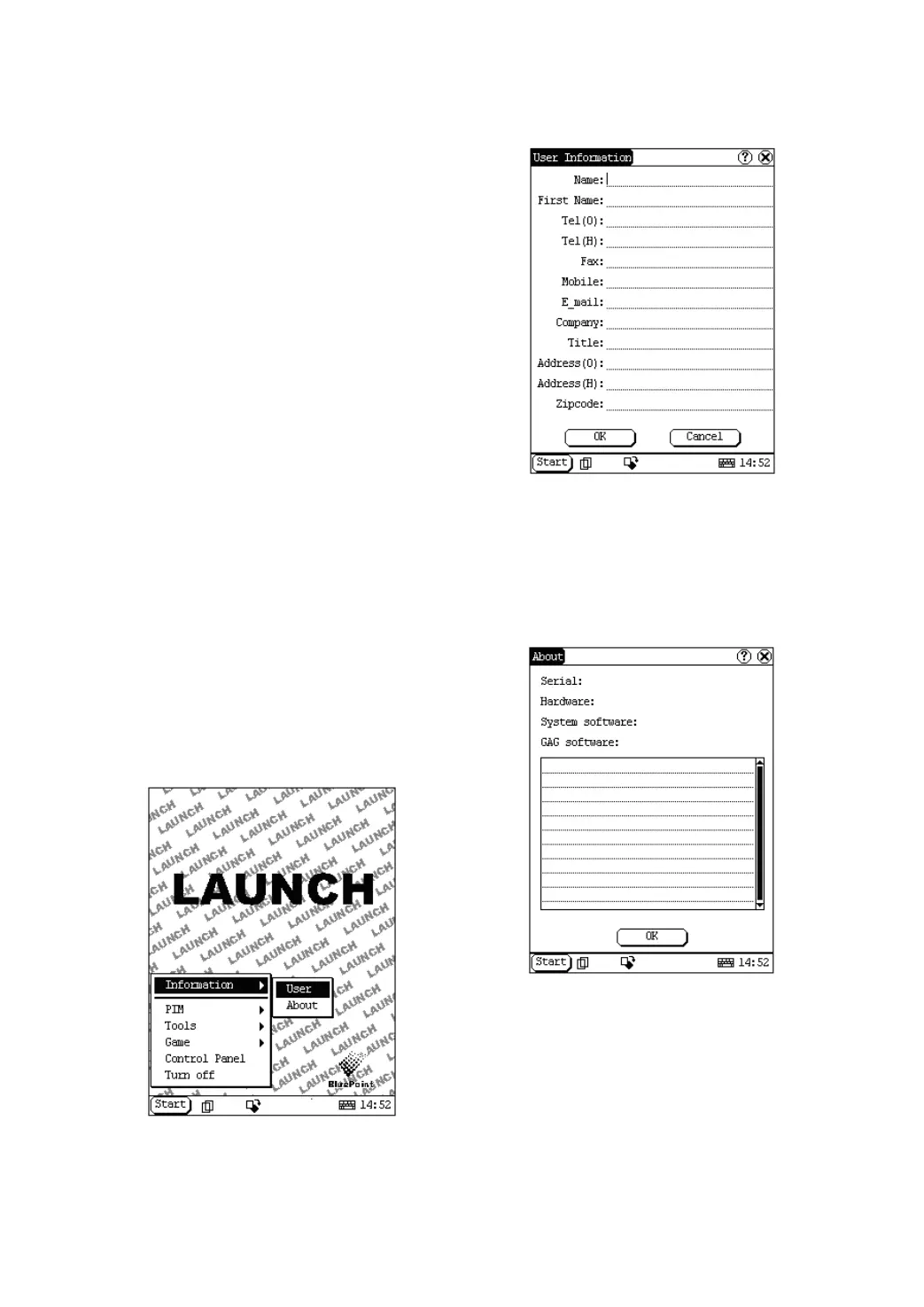
1) Click [Start] button.
2) Select ‘Information’ in the pop-up menu.
3) Select ‘User’ in the pop-up list to open the
User Information interface. (See Figure
4-46)
4) In the User Information interface, activate
Soft Keyboard, and input the user
information. (See Figure 4-47)
5) Click [OK] button to save the information
and close the User Information interface.
Figure 4-46
Figure 4-47
About
In ‘Information’ list, click ‘About’ to display the
information on system software and hardware,
then click [OK] button to close it. (See Figure
4-48)
Figure 4-48
Shut Down
Click “Shut Down” in the Start menu when you
attempt to turn off the machine.


 To Next Page
 Loading...