13
1
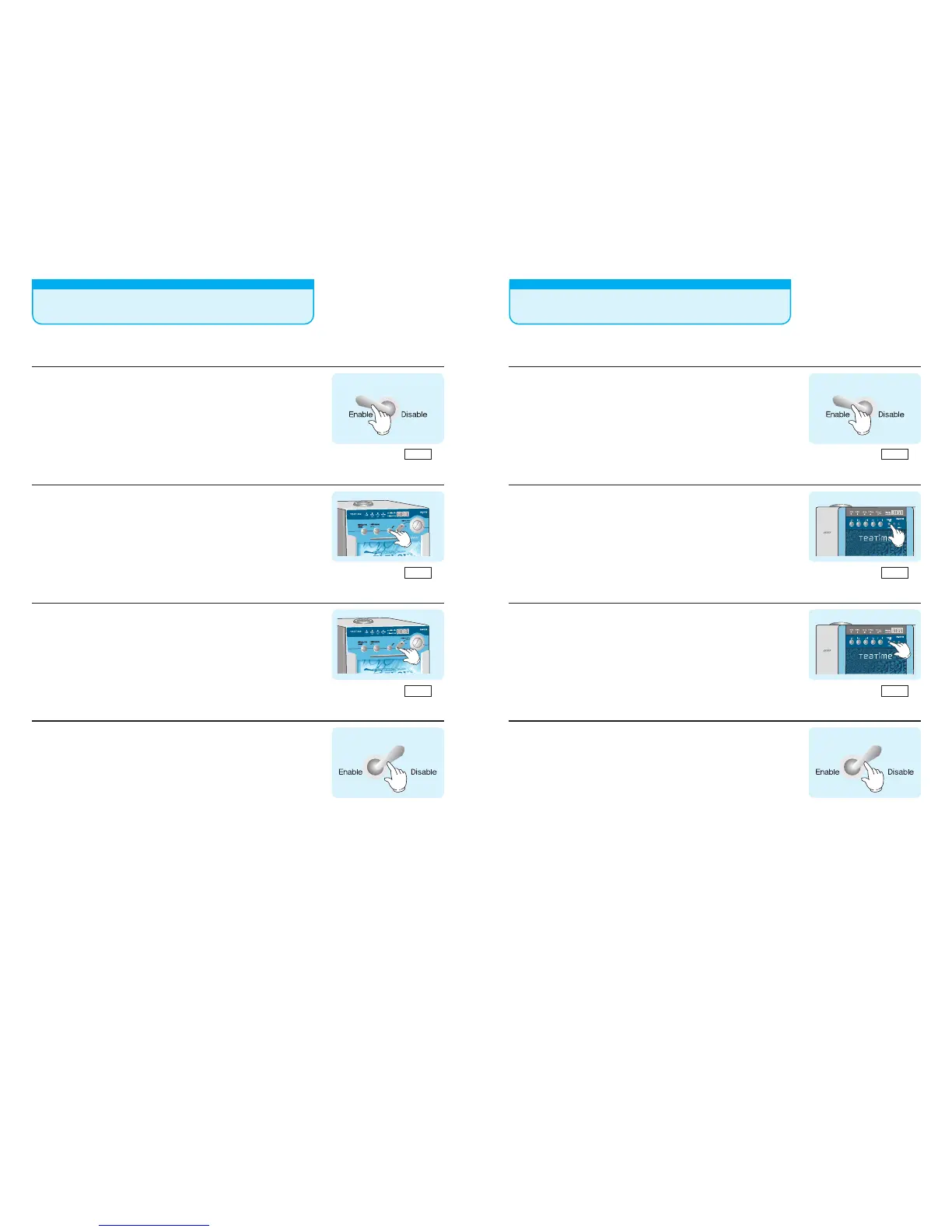
Set the Enable /Disable switch in the control box inside the
door to Enable.
2
Press the "MODE" button FOUR times of the front door.
Press the menu button , the Vending price of tea1 & tea2
can be setting each menu.
3
Press ("▲" "▼")the UP,DOWN button at the right of MENU
button on the front door.
*The vending price setting can be from 0 to 9piece coin.
Amount indicator
---
Amount indicator
000
Amount indicator
200
4
When finish setting price, please return to "Disable" from
"Enable" inside the door.
Be keeping your changed numerical value with
"beep sound"
How to set price(DG-707FM)
14
Amount indicator
---
Amount indicator
000
Amount indicator
200
1
Set the Enable /Disable switch in the control box inside the
door to Enable.
2
Press the "MODE" button FOUR times of the front door.
Press the menu button , the Vending price of tea1 ,tea2 &
tea3 can be setting each menu.
3
Press ("▲" "▼")the UP,DOWN button at the right of MENU
button on the front door.
*The vending price setting can be from 0 to 9piece coin.
4
When finish setting price, please return to "Disable" from
"Enable" inside the door.
Be keeping your changed numerical value with
"beep sound"
How to set price(DG-808F3M)



 To Next Page