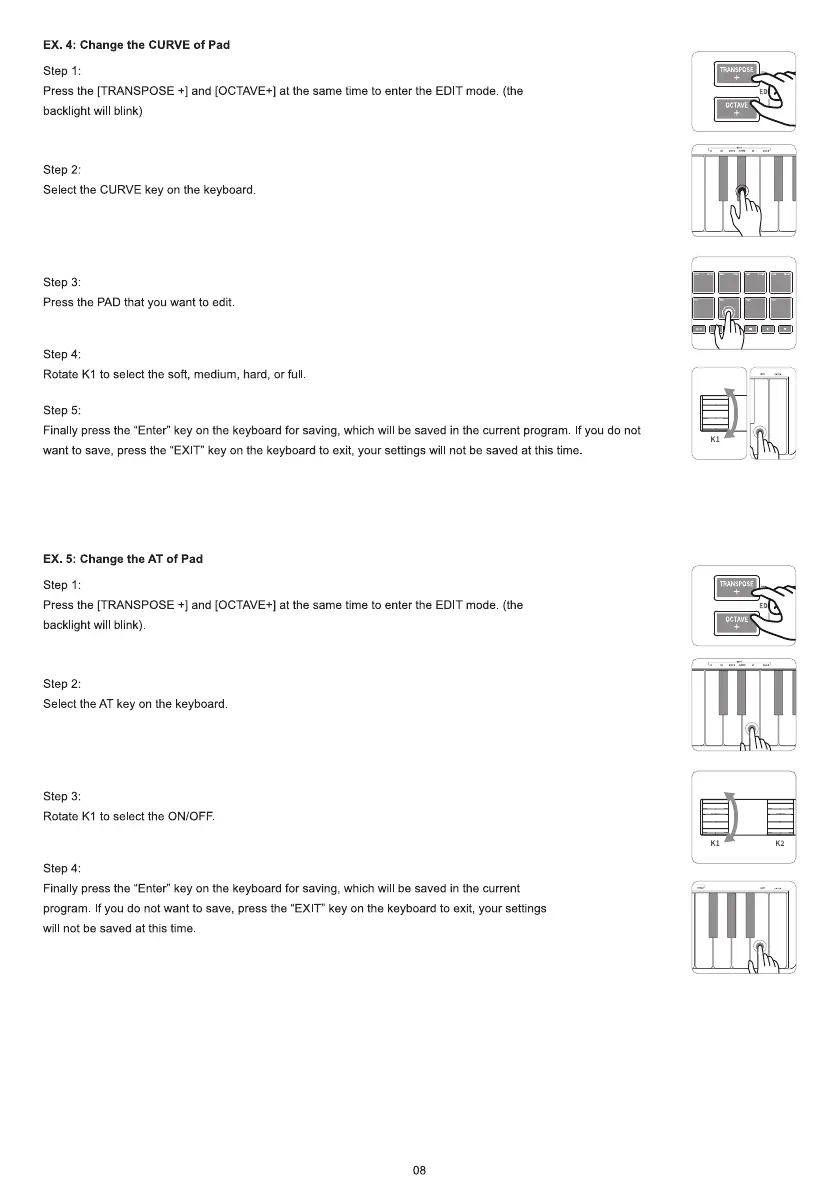
EX. 4: Change the CURVE of Pad
step 1:
Press the [TRANSPOSE +1and [OCTAVE+] at the same time to enter the EDIT mode (the
backlight wil blink)
step 2:
Select the CURVE key on the keyboard
step 3:
Press the PAD that you want to edit
Step 4:
Rotate KI to select the soft, medium, hard, or ful
step 5:
Finally press the "Enter" key on the keyboard for saving, which will be saved in the current program. If you do not
want to save, press the "EXIT" key on the keyboard to exit, your settings will not be saved at this time.
EX. 5: Change the AT of pad
Step 1 :
Press the [TRANSPOSE +1and [OCTAVE+] at the same time to enter the EDIT mode (the
backlight wil blink)
step 2:
Select the AT key on the keyboard
step 3:
Rotate KI to select the ON/OFF
Step 4:
Finally press the "Enter" key on the keyboard for saving, which wil be saved in the current
program If you do not want to save, press the "EXIT" key on the keyboard to exit, your settings
will not be saved at this time.
08
OCTAVE
IRANsF0sE
OCTAVE



 To Next Page