14
MIDI information: channel pressure
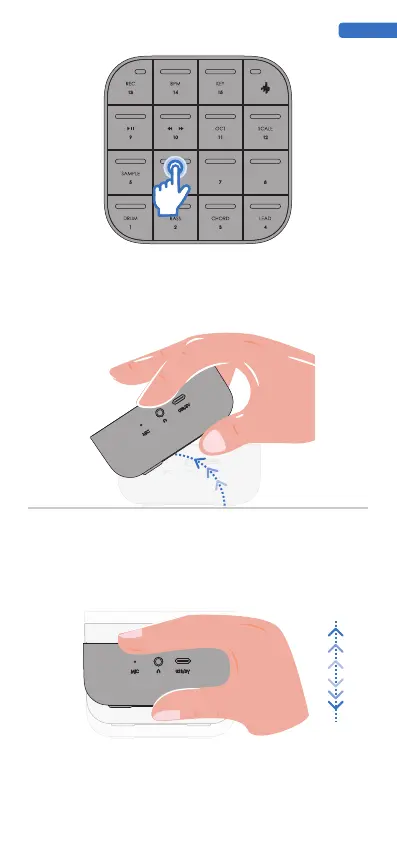
Tap lightly with your fingers on a single PAD and maintain contact with the touch surface.
larger the activated area. Continuous pressure can have an impact on the synthesizer.Some
factory presets will have Press enabled by default, but you can also enable customization in the
Medo Synth software.
3. Press
MIDI Information: Mod Wheel - CC # 1
The internal motion sensor of MEDO can recognize tilting gestures, and tilting MEDO while
playing in specific timbres can produce interesting sound effects. The tilt gesture is similar to
the modulation wheel on a keyboard controller. Tilt gestures can be adapted to most software
synthesizers and applications.
The Tilt feature is enabled by default on some factory presets, but you can also enable
custom features in the MEDO Synth software.
4. Tilt
MIDI Information: CC # 113
The internal motion sensor of MEDO can recognize translation gestures and adjust the sound
and effect by moving MEDO horizontally in space while playing in specific timbres.Some
factory presets will have Move enabled by default, but you can also enable customization in
the Medo Synth software.
5. Move
ENGLISH


 To Next Page
 Loading...


