15
MIDI Information: MIDI Notes 69 and CC # 2
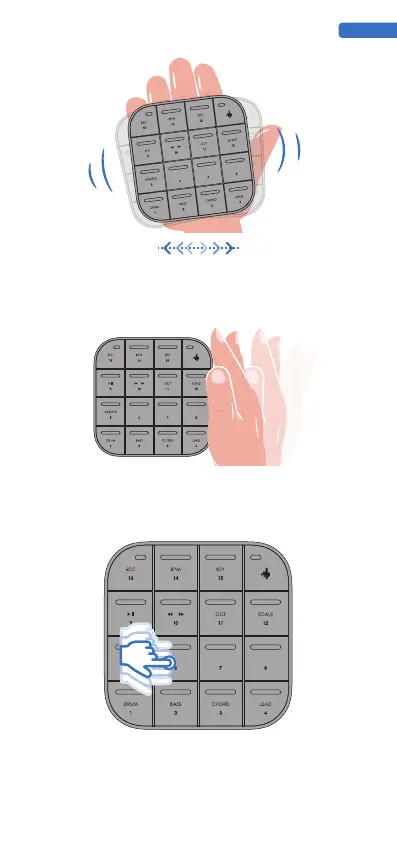
shaking, MEDO will emit a tone corresponding to the shaking action.
6. Shake
7. Tapping
In a specific voice, press and move your fingers up and down within a single PAD, sliding
them up and down from the center of the single PAD. When playing, long pressing and
moving your fingers up and down may affect volume, envelope, and other effects.Some
factory presets will have Slide enabled by default, but you can also enable customization in
the Medo Synth software.
8. Slide button sliding up and down
ENGLISH
MIDI Information: MIDI Notes 39
should also give it a try.



 To Next Page