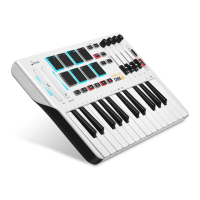
● 【Shift】Button can used to access all the advanced functions of the keyboard. When the【Shift】combination button is
pressed, the keyboard goes into “Edit Mode”. In Edit Mode, the keys on the keyboard are used for selecting functions
and entering data.
● When the two lights of the【Shift】combination button are on, it is in edit mode. In Edit Mode, the black keys on the
keyboard are used for selecting functions, while the white keys are used for data entry, function selection.
● Your keyboard will exit out of Edit Mode as soon as a function is selected, or ENTER button is pressed (the【Shift】
button light will turn off). The keyboard can then be used to play notes again.
● Program 1-4 are used to change the instrument program or voice you are using. For example, you could use this function
to change the instrument to a bass sound.
● You can send a program change by:
If your MIDI hardware or software can receive MIDI Program changes, Press【Shift】to enter Edit mode, select one of
Program 1-4, then rotate the encoder and confirm your code through 0-127, at last press ENTER to confirm.
● MOD: After the 【SHIFT】 function is turned on, it enters the modulation function. The initial state is OFF. Press it again
to change to ON. You can select through the rotary encoder. At this time, there will be a numeric display of 0-127 on the
screen. Press the confirm key to save..
● VOL: Adjust VOLUME in edit mode.
08


 To Next Page
 Loading...