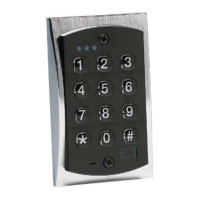
PROGRAMMING OPTIONS CHART
If the pre-programmed default values must be changed
or additional functions are desired, the following options may be programmed.
1. Enter programming mode Press 99 # (master code)
**
2.Change master code/set main relay time
1 (SEEBELOW)
Press (Relay Time) # 1 # (new code)
*
(repeat code)
*
Example: Master code of 4321/relay time of 10 seconds Press 10 # 1 # 4321 * 4321 *
3. Add/change user code Press (user location) # (new code)
*
(repeat code)
*
4.Add/change user code with a different output Press (Relay Time) # (user location) # (new code)
*
time on main relay
1 (SEEBELOW)
(repeat code)
*
5. Delete user codes Press (user location) #
**
6. Set output 2 time
1 (SEEBELOW)
Press 12 # (Relay Time) # 0 #
**
7. Set output 3 time
1 (SEEBELOW)
Press 13 # (Relay Time) # 0 #
**
8. Set output 4 time
1 (SEEBELOW)
Press 14 # (Relay Time) # 0 #
**
9. Set outputs for Remote Triggering Input Press 17 # (outputs: .ie. 1, 2 or 2, 3 etc.) # 0 #
**
Note: 0= no outputs
10. Set outputs for Panic
2 (SEEBELOW)
Press 18 # (outputs: i.e. 1, 2 or 2, 3 etc.) # 0 #
**
Note 0= no outputs
11.Turn keypress feedback/audible keypress on Press 30 # 0 # 1 #
**
12.Turn keypress feedback/audible keypress off Press 30 # 0 # 0 #
**
13. Turn yellow LED/sounder on with relay Press 30 # 1 # 1 #
**
14. Turn yellow LED/sounder off with relay Press 30 # 1 # 0 #
**
15.Turn auto entry on Press 30 # 2 # 1 #
**
16.Turn auto entry off Press 30 # 2 # 0 #
**
17. Turn keypad active output on
3 (SEEBELOW)
Press 43 # 0 # 99 #
**
18. Turn keypad active off Press 43 # 0 # 00 #
**
19. Erase keypad memory/reset defaults Press 46 # 00000 # 00000 #
**
20. Energize selected output(s) with a user code
4
Press 59 # (outputs: i.e. 1, 2 or 2, 3 etc.) #
(user location) # (new code) * (repeat code) *
Example: User 2; code of 4321*; energize outputs 2 & 3 Press 59 # 23 # 02# 4321 * 4321 *
3
NOTES:
1 1
Relay time must always be represented by 2 digits. Example: 5 seconds = 05.
Latching /toggle is accomplished by entering a time of 00
22
If selected, panic will operate by pressing the * and # simultaneously.
Panic operates for 1 second and is defaulted to output 4.
33
Keypad active is a negative voltage output (sink) available
on terminal (or wire) marked WB (see wiring diagrams for location).
44
This feature is not available with the master code.


 To Next Page
 Loading...