
 Need help?
Do you have a question about the Doosl W13-M and is the answer not in the manual?
On/of, Arrow Keys, OK, Set Up, Return buttons for navigation.
Focusing Ring and Keystone Correction for image quality.
Indicates the specific model of the projector.
DC Power Socket and USB Port for connections.
HDMI Port, AV Port, and Headphone Jack for media.
Power, Play/Pause, Forward/Backward, Mute controls.
Arrow Keys, OK, Menu, Return for interface control.
Select input sources and adjust audio volume.
Connect the adapter and turn on power to enter standby.
Press the power button on the projector or remote.
Adjusts the sharpness of the projected image.
Corrects trapezoidal distortion for a rectangular image.
Access menu via remote to select input source.
Access network settings and select Wi-Fi.
Choose your wireless network from the list.
Enter the password to connect to the Wi-Fi network.
Check network name in the upper corner for successful connection.
Select 'Airplay' for iPhone, iPad, iPod touch mirroring.
Select 'Miracast' for Android mobile/pad mirroring.
Ensure devices are on the same network as the projector.
Use Control Center and tap 'Screen Mirroring' on iOS devices.
Use phone's control center for 'Wireless Projection' etc.
Quick steps for projector and device connection.
Lists compatible iOS and Android devices; excludes laptops.
Connect projector and laptop using HDMI cable.
Select HDMI input and 'Duplicate' display mode on laptop.
Key combinations for different laptop brands to output display.
Use Lightning to HDMI adapter for iOS device connection.
Use Micro USB/Type-C to HDMI adapter for Android devices.
Adapters are not included; check compatibility.
Ensure HDMI is selected as the input source.
Projector does not support Dolby sound; disable on device.
Select Movie, Photo, or Music from USB drive.
Projector is not compatible with PPT files from USB.
Use the 3-in-1 cable to connect AV devices.
Select 'AV' as the media signal channel.
Connect earphones or audio devices via 3.5mm jack.
Use 'Menu' button on remote to enter the settings menu.
Adjust PICTURE, SOUND, TIME, and OPTION properties.
Picture Mode (Standard, Soft, User, Vivid) and Color Temperature.
Set Aspect Ratio (Auto/4:3/16:9) and Noise Reduction.
Adjust Projection Direction and HDMI Mode (PC/AV).
Reduce the projection size from 75% to 100%.
Select sound mode: User, Standard, Music, Movie, Sports.
Balance sound between left and right speaker channels.
Enable or disable intelligent volume adjustment.
Set projector to shut off automatically after a duration.
Set the display language for the operation interface.
Reset projector settings to factory default.
Adjust menu transparency and display duration.
Update projector software via USB.
Check video format, encryption, lamp, and HDMI cable.
Try an alternative HDMI cable if input source is HDMI.
Use 'FLIP' key or Menu-Picture-Projection Direction.
Contact support for cleaning video if dots persist.
Adjust focus ring, keystone, or screen distance.
Ensure line of sight, no obstruction, and fresh batteries.
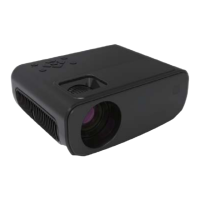
This document describes the Doosl Mini Video Projector, model W13-M, a compact device designed for various video projection needs.
The Doosl Mini Video Projector serves as a versatile display solution, capable of projecting video, images, and music from multiple sources. It is designed for both wired and wireless connections, making it suitable for home entertainment, presentations, and other personal viewing experiences. The projector features built-in controls and comes with a remote control for convenient operation.
While specific numerical specifications like resolution, brightness, or contrast ratio are not provided in the manual, the projector supports various input methods and offers adjustable display settings.
The projector is designed for ease of use with both on-device controls and a remote control.
Access settings by pressing the "Menu" button on the remote or projector.
The manual provides solutions for common issues:
The device complies with Part 15 of the FCC Rules, ensuring it does not cause harmful interference and accepts received interference. Any changes not approved by the responsible party could void user authority. The equipment is tested to comply with Class B digital device limits and should be installed and operated with a minimum distance of 20cm between the radiator and your body.

 To Next Page
 General