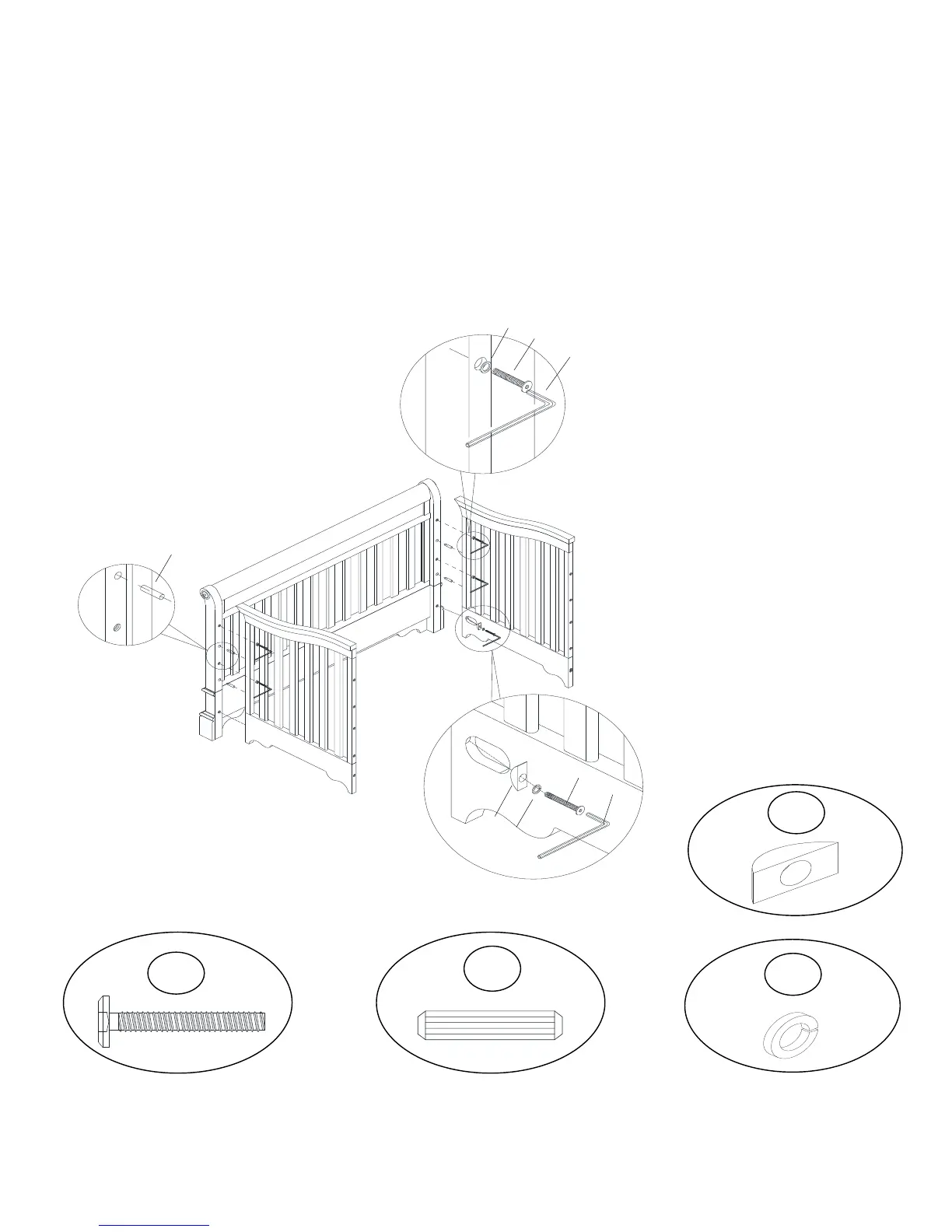
Insert wood dowels (6) into the left post (A).
Attach the left side panel (D) to the left post (A) and front rail (G) with bolts (1), curved nuts
(9) and spring washers (8) as shown.
Use Allen key (5) to tighten all bolts (1).
Repeat this step to attach right side panel (E) to the right post (B) and front rail (G).


 To Next Page