(P/N) 7031.0316 Rev B
05/18
•
© copyright 2017-2018 1
USER OPERATING INSTRUCTIONS
LA GARD 5750
Electronic Entry Device
OPENING THE LOCK
1. Enter valid combination (factory set to 1-2-3-4-5-6).
2. The lock will indicate a valid combination entry with a double signal.
3. Within four (4) seconds, turn the keypad to the open position (clock-wise) if using a dead bolt style lock, or turn the
handle to the open position if using a swing bolt style lock.
4. Pull door open.
• Invalid Combination Entry - Lock will signal three (3) times.
IMPORTANT Note: Change the combination before putting the lock into operation.
WRONG TRY PENALTY
• Entry of four (4) consecutive invalid combination starts a five (5) minute delay period.
- LED flashes red at ten (10) second intervals.
• At the end of the delay period, two more consecutive invalid combination will restart the five (5) minute delay period.
NOTE: During delay period, any keystroke will give a triple signal
CHANGING YOUR COMBINATION
CAUTION! Always perform this operation with the door open
1. Enter existing combination and hold down the last digit until unit double signals and LED stays on. Observe that the unit
will double signal indicating a correct combination has been entered, and then, as the last digit is held down, it will double
signal 2-4 seconds later and the LED will remain on, indicating the unit is now ready to receive change commands.
2. Press the “0” key.
3. Enter your NEW six (6) digit combination two times.
4. If a mistake is made wait thirty (30) seconds and repeat steps 1 - 3.
5. Test lock operation several times before closing door.
CAUTION: When selecting a combination, do not use birthday or other predictable data that could give correlation
between the user and combination. Once the new combination has been set, do not share the combination. It is a secret.
• Valid Combination Entry - Double signal after valid six (6) digit combination is entered.
• Invalid Combination Entry - Triple signal indicates the old combination is still valid.
FEATURES
See Manager Instructions for additional features.
USER Combination
• Open Lock
• Change Combination
Keypad Backlighting
Press either lightbulb icon to illuminate the panel keys.
WRONG TRY PENALTY
• Four (4) consecutive invalid combination initiates five (5) minute delay period.
LOW BATTERY WARNING
• Repeated LED flashing and beeping during opening indicates battery is low and needs
immediate replacement.
AUDIO AND VISUAL SIGNAL
• Double signal - two (2) LED flashes and two (2) beeps - indicates entry is valid or
accepted.
• Triple signal - three (3) LED flashes and three (3) beeps - indicates invalid or
not accepted.
Keypad models 5715, 5750, 5750-K are compatible with all LA GARD electronic locks manufactured by dormakaba.

 Need help?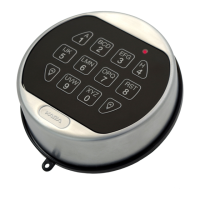

 To Next Page
 General